
Another feature request from our amazing members has come to life! You can now use your keyboard to log data in the live data collection tool. Here are the keyboard shortcuts for even quicker data collection:
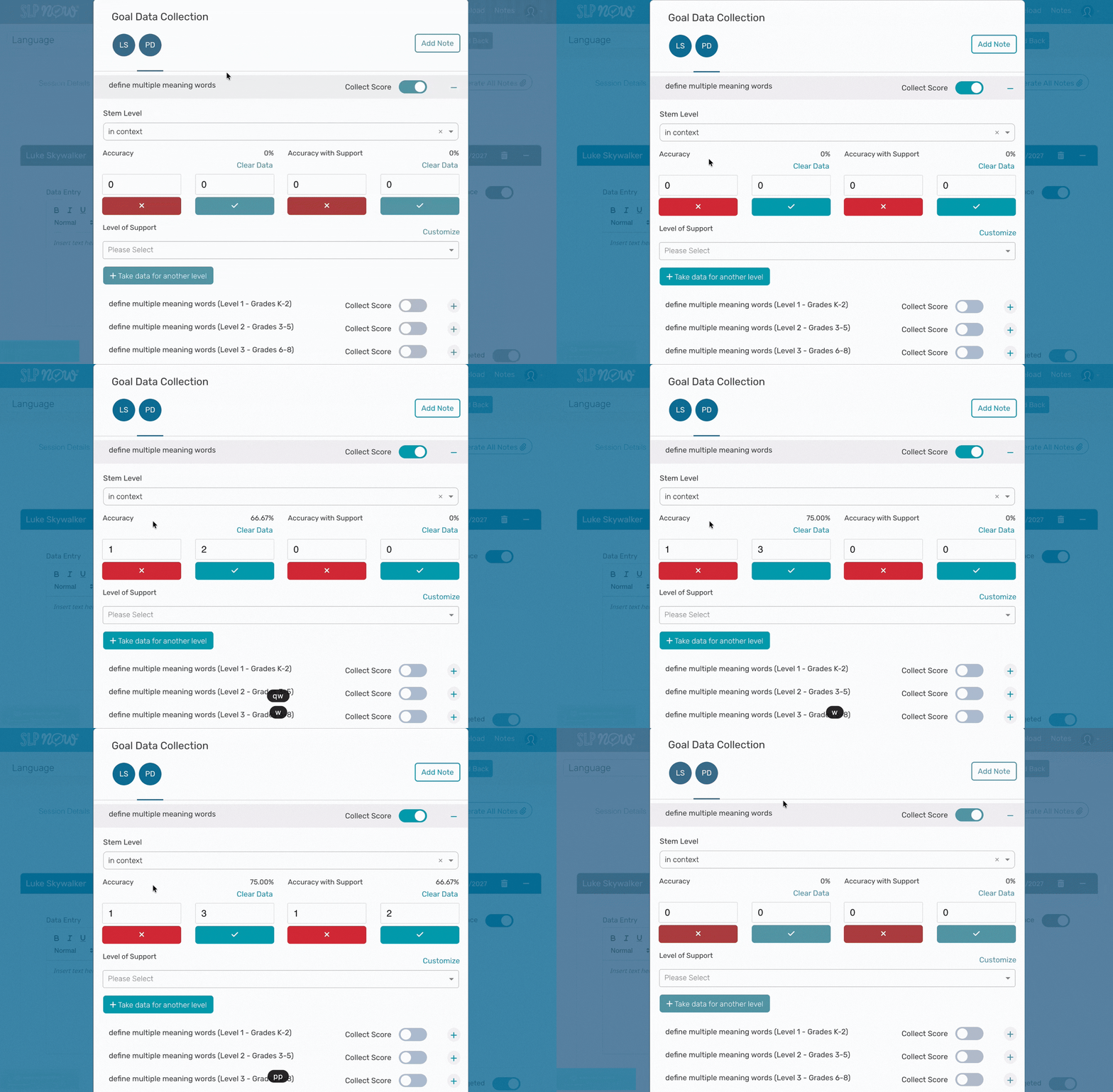
To track Accuracy, type –
Q – Incorrect response
W – Correct response
To track Accuracy with Support, type –
O – Incorrect response
P – Correct response
Here’s what it looks like:
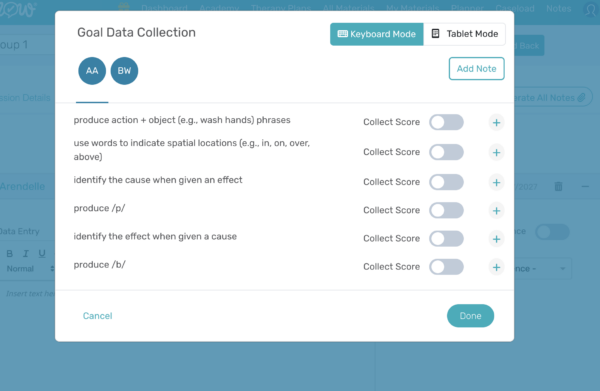
We also created a way to differentiate between keyboard and tablet use so that our tablet and smartphone data collectors can still track data seamlessly. Simply select “Tablet Mode” or “Keyboard Mode” when you open the Data Collection modal based on the device you’re using or how you’d like the goals to appear when logging data.
Keyboard Mode will allow you to take advantage of keyboard-controlled data collection, which automatically minimizes the goals you aren’t tracking data for. Tablet Mode will give you the same functionality as before, which will allow you to see all of your goals maximized as you collect data.





Leave a Reply