• Skip to primary navigation
  • Skip to main content
SLPNOW_Logo_Color
  • For SLPs
  • For Districts
  • Success Stories
  • Resources
    • Blog
    • Podcasts
    • SLP Goal Bank
    • Speech Therapy Tools
    • Contact
  • Pricing
Login
Free Trial

Marisha

How to Empower Students to Love Curriculum-Based Reading Passages

February 27, 2017 by Marisha 2 Comments

Confession. I really used to struggle to find a balance between keeping my upper elementary students engaged while incorporating materials from the curriculum. For many of my students, materials from the curriculum are so far above their reading level. This makes basic comprehension feels like an uphill battle. Meanwhile, they have goals for higher level language skills (like context clues and inferencing). It makes sense to target these skills in isolation to give students an opportunity for errorless practice, but how do we work towards generalization if we’re always using materials that are significantly below grade level (and out of context)?

After a lot of trial and error, I came up with a few solutions. I’ve gotten a lot of questions about this, so hopefully sharing my process/strategy will help you to tackle these skills, too! Please share any other ideas in the comments!

All the Visuals

It is so important to teach a skill before we expect students to demonstrate mastery. I’ve worked hard to build up an “arsenal” of visuals to help me do that. It makes it easier for me to teach (and not talk so much). Students can more quickly start to cue themselves and eventually bring the visual into the classroom (if needed) for generalization.

Start Small

As we’re teaching the skill, I start with some simple examples so that students can benefit from errorless learning. However, I don’t stay here long. As soon as they demonstrate basic understanding of the concept, I want to move into more relevant materials. Even if it means that I have to do more cueing.

You might have a different approach to therapy, and that is okay! This just makes the most sense to me, and it seems to work better for my students. Just be sure to “do you.” 🙂

Jump into the Curriculum

Okay, sounds good. But how?!

I was pleasantly surprised how willing teachers were able to share what they are doing in the classroom when I told them what I wanted and why. That said, there are different levels of collaboration between teachers. Some teachers will share their plans for the quarter, so I know what lessons they will be targeting and when. Other teachers drop a passage or a vocabulary list in my box every few weeks. I hear from others in the hallway. It varies, but all forms of collaboration help me to better meet my students’ needs and set them up for success.

Since I started collaborating with teachers in this way, teachers have a better idea of what their students are working on in therapy. Because of this, they are better able to communicate what I can do to help, and they are more willing/able to support these skills in the classroom.

The research also indicates that targeting students’ goals in context results in less rapid progress initially (vs. drill); however, skill maintenance and generalization are improved. That means that students will actually be able to use these skills in the classroom! That’s what we’re all about, isn’t it?

And If That Doesn’t Work?

Even if you aren’t able to open that line of communication with teachers, you can often get your hands on the curriculum and pull passages/vocabulary from there. Even if you’re not “in sync” with the teacher, it’s likely something that was addressed or will be addressed in the future.

If your school doesn’t have a curriculum, then here are some amazing resources. I found out that many of my teachers pull passages from these sites:

NewsELA.com – There are tons of FREE passages. I also love this site because you can select the reading level. If one of your teachers happens to be using this in the classroom, then you can use the same passage but lower the reading level to make it more accessible. All with the click of a single button!

ReadWorks.org – This is another great FREE resource. The passages are leveled, but you can’t level individual passages like you can with NewsELA. You can download activity sheets to accompany the passages. They pull out vocabulary targets and questions for you. You can also find paired passages for some interesting thematic units.

ReadingA-Z.com – This one is paid (with a free trial), but many districts have subscriptions to it. It includes an amazing variety of reading passages.

You can also use some awesome FREE websites to quickly identify therapy targets. Read about how I do this here.

Engagement Strategies

But what about those students who are “too cool” for speech and are not “motivated” to participate? Here are a few strategies that I have found to be helpful:

1. Goal Awareness: I always make sure my students know why they are coming to speech (and it is not to play games!). Check out this freebie or these decks for a quick way to review your students’ goals.

2. Make It Relevant: Amy Harris from Amy Adapts talks about the idea of treating our students as professionals in training. It really helps students take accountability and put forth the effort needed to tackle these challenging skills.

3. Growth Mindset: Talking about growth mindset is another great strategy. My students will often shut down because these skills are challenging, but they seem to be more resilient after my favorite “brain talk.” Read about it here.

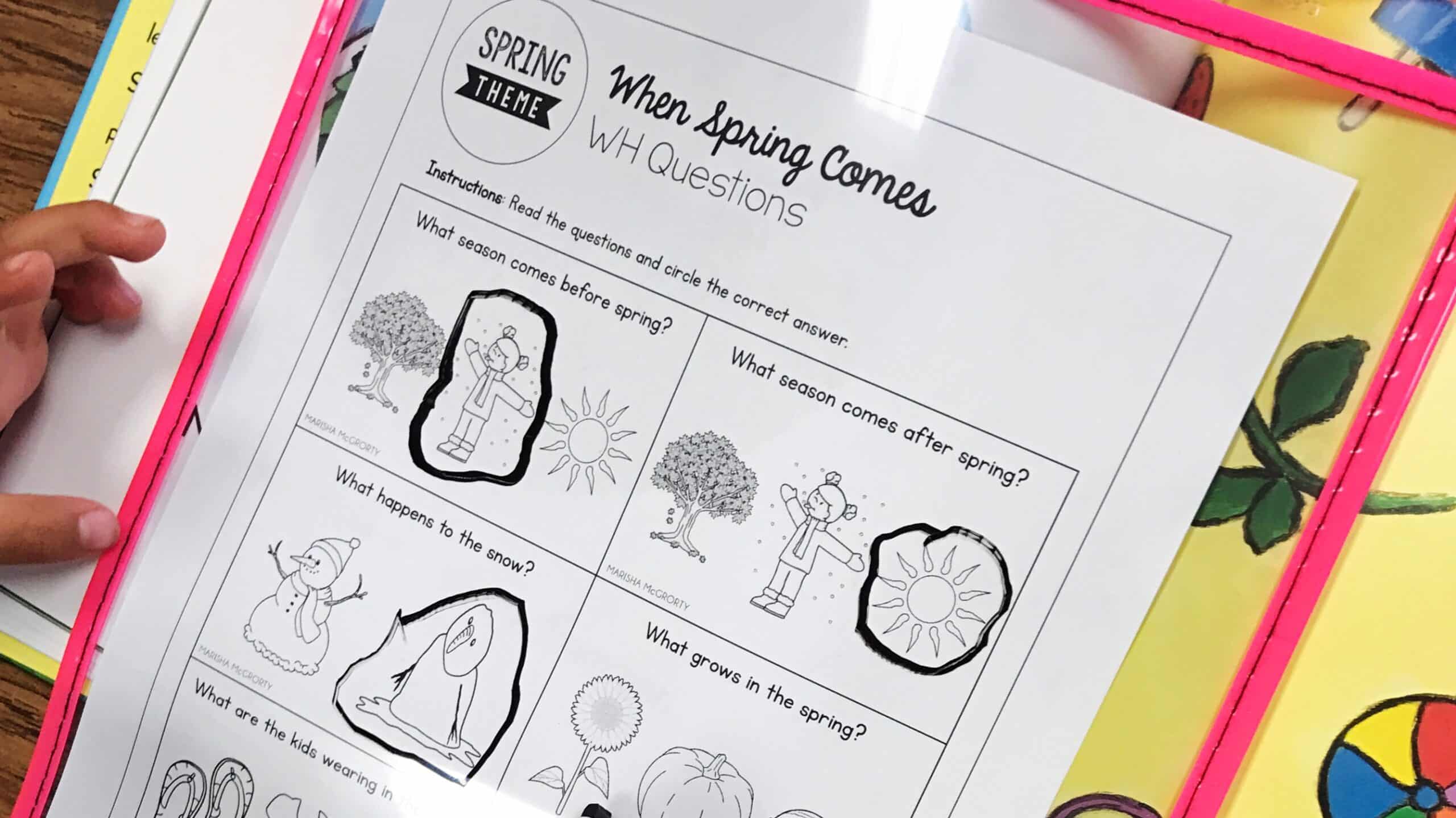
4. Switch It Up: Finger flashlights and dry erase markers are great tools to increase engagement. I “reward” the students with these tools when they participate verbally (e.g., if they offer an answer, so they get to use the dry erase marker to underline the evidence and/or write the answer). It’s amazing how something so simple can motivate students to participate. Check out some of my favorite tools here.

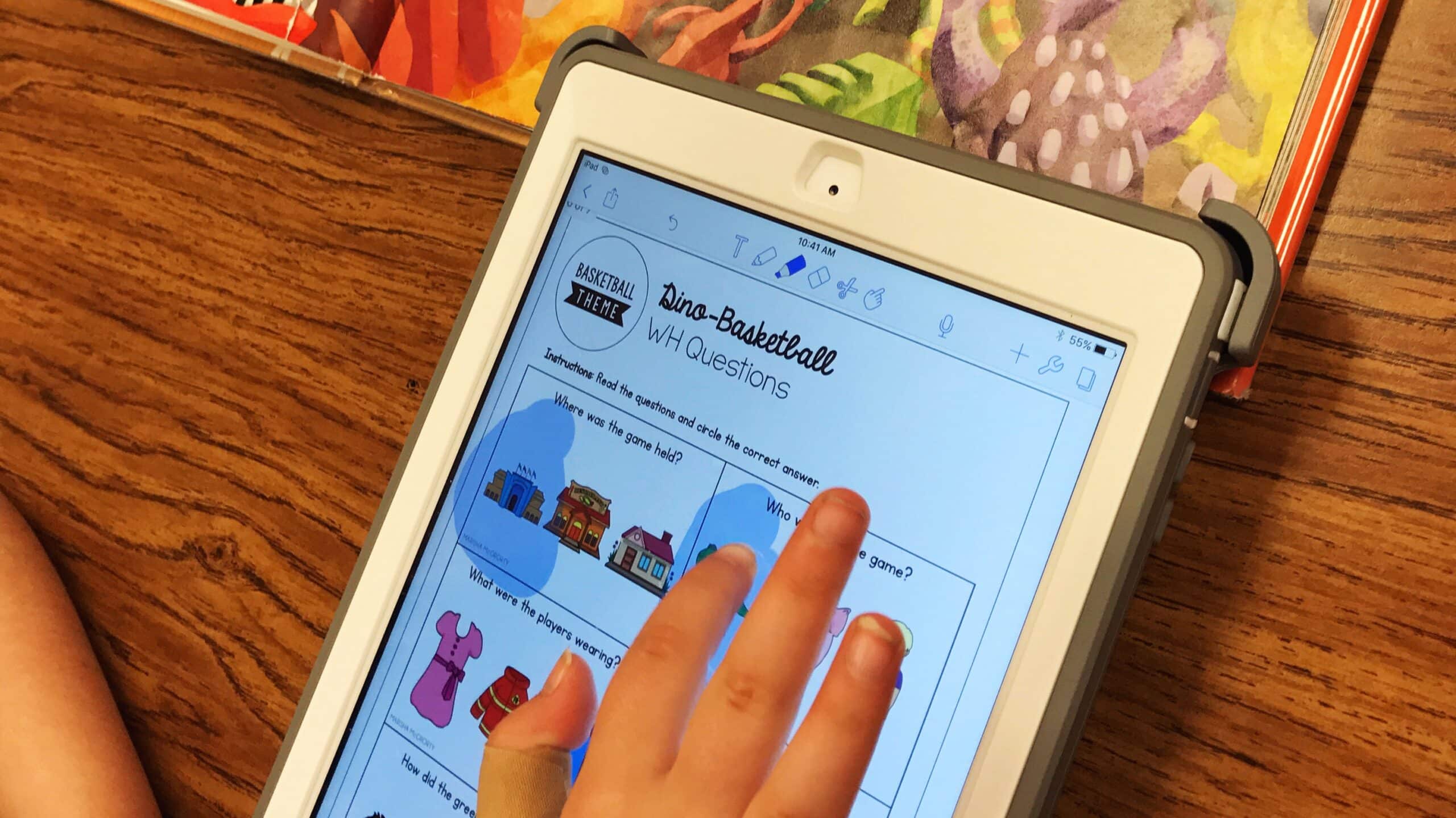
5. Incorporate Technology: My students love it when we pull up the passages on Notability. They get to use a stylus to annotate the passage. We also use an emoji keyboard when we’re working on inferencing. Projecting the passage is another fun way to keep students engaged.

6. Incorporate Movement: Especially when the text is dense or particularly challenging, we’ll get out of our chairs and get moving. This is particularly helpful when students are struggling to comprehend a passage and/or understand vocabulary terms.

Putting It Together: An Example

Last week, my 5th graders and I were reading a passage about forensic evidence that the teacher shared with me. After doing a quick “walk” of the passage, we read the first paragraph. The vocabulary was very challenging for the students (e.g., fingerprint, suspect, criminal, evidence, detective). They weren’t able to comprehend the passage because they were missing those key vocabulary words. My “basic” strategies weren’t working, so we stepped back and acted out scenarios. The goals were targeting vocabulary and inferencing, so I tailored the scenarios to target those areas.

They didn’t know that everyone has unique fingerprints, so we started there. I grabbed a marker and we each colored our fingers and “stamped” our fingerprint on a piece of paper. They saw that all of our fingerprints were a little different. I guided them to make some inferences about why this might be useful in finding a criminal… It took a little while, but we got it. (:

Then, things got intense! We set up our own crime scene. One of the group membership committed a crime (e.g., stealing a pen). Another group member had the detective role. He looked for evidence (and made inferences about who committed the crime). We had a list of suspects (who we thought committed the crime) to find the true criminal. After a few repetitions, the students were independently using this vocabulary and assigning each other roles. Success!

By doing this, we were able to make the content more “real.” It was also a great activity to target my students’ goals. Because the students had prior exposure to the vocabulary, they were better able to comprehend and participate in the classroom discussion related to this challenging passage. Because we were using the same content, they will be reminded of our discussion and the strategies we practiced. The teacher knew what we targeted, so she was able to support those skills throughout the discussion, as well.

The goal is to facilitate generalization. It’s not always an immediate fix or a “magic wand” approach, but my students are making more rapid progress since I started using materials from the curriculum in therapy.

I’d love to hear what you think! What are your favorite strategies to engage students and work towards generalization?

Filed Under: Therapy Ideas Tagged With: Curriculum-Based Therapy, How to Teach, Literacy-Based Therapy, Student Engagement, Visuals

Top 10 SLP Pinterest Boards for Therapy Inspiration

February 17, 2017 by Marisha 1 Comment

As the only SLP at my site, I found myself in therapy ruts–lacking inspiration and feeling a little bored. This completely changed when I discovered Pinterest! It’s an SLP’s dream come true. If you’re looking for a specific idea (e.g.,  St. Patrick’s Day craft), then you can do a quick search and immediately find hundreds of ideas just a click away. How awesome is that?! I also love following Pinterest boards so that my feed is automatically filled with ideas. I can run to Pinterest on “those days” when I need some quick inspiration.

Here are some of my favorite Pinterest boards:

1. Therapy Planning

[pin_board url=”https://www.pinterest.com/slp_now/therapy-planning-for-slps/” size=”custom” image_width=”100″ board_width=”450″ board_height=”225″]


2. Behavior Management

[pin_board url=”https://www.pinterest.com/missspeechie/behavior-management/” size=”custom” image_width=”100″ board_width=”450″ board_height=”225″]


3. Crafts

[pin_board url=”https://www.pinterest.com/dabblingspeech/dabbling-with-crafts/” size=”custom” image_width=”100″ board_width=”450″ board_height=”225″]


4. Articulation

[pin_board url=”https://www.pinterest.com/speechiek/articulation/” size=”custom” image_width=”100″ board_width=”450″ board_height=”225″]


5. Language

[pin_board url=”https://www.pinterest.com/speechpeeps/languageliteracy-ideas/” size=”custom” image_width=”100″ board_width=”450″ board_height=”225″]


6. Social Skills

[pin_board url=”https://www.pinterest.com/dabblingspeech/dabbling-with-social-skills/” size=”custom” image_width=”100″ board_width=”450″ board_height=”225″]


7. Apps

[pin_board url=”https://www.pinterest.com/missspeechie/apps/” size=”custom” image_width=”100″ board_width=”450″ board_height=”225″]


8. Get Organized

[pin_board url=”https://www.pinterest.com/slp_now/speech-room-organization/” size=”custom” image_width=”100″ board_width=”450″ board_height=”225″]


9. Speech Room Decoration

[pin_board url=”https://www.pinterest.com/slp_now/speech-room-decoration/” size=”custom” image_width=”100″ board_width=”450″ board_height=”225″]


10. All Around Inspiration

[pin_board url=”https://www.pinterest.com/speechpins/speech-language-therapy-blog-posts/” size=”custom” image_width=”100″ board_width=”450″ board_height=”225″]


Do you have a favorite board? Share it with us in the comments!

Filed Under: Therapy Ideas Tagged With: Professional Development

Quick Tools for Fun Curriculum-Based Therapy

February 15, 2017 by Marisha Leave a Comment

There’s clearly a push to use curriculum-based materials in our therapy sessions. It can be challenging to get students excited about using textbooks and activities from the classroom. However, I’m sharing six of my favorite tools to keep students motivated, focused, and engaged in their learning.

Before we jump into tools, the first (most important) step is to make sure that students know their goals and WHY they are in speech. Therapy becomes a lot easier when students understand their goals and the relevance of those goals. We talk a lot about being “professionals in training” and work on connecting their speech/language goals to their personal goals. It can be as simple as being understood by their friends or creating YouTube videos. Some are motivated by longer-term plans (e.g., becoming an engineer). Want more ideas? Check out this post.

The tools listed below are really simple, but they seem to magically shoot engagement through the roof. It’s amazing what switching out a few tools can do!

NOTE: This post contains affiliate links, which means that if you click on one of the product links, I may receive some compensation from Amazon.

Dry Erase Markers

Kids always feel like they’re breaking the rule with these! We write on the tables (or on the whiteboard) when targeting different skills.

Sheet Protectors/Sleeves

An easy way to make a reading passage or worksheet more exciting is to slip the page into a sheet protector or a sleeve. It always saves prep time because you don’t need to make as many copies! If I want to keep a copy of the activity, then I just snap a picture with my iPad.

Digital Counters

Desiree from SLP Talk shared about these gems during one of her live videos. A great way to involve students in taking data!

Erasable Highlighters

These get kids realllllly excited about citing evidence. (I’m not going to lie. I get excited about them, too.)

Pointers

Another quick and easy tool to use when citing evidence, identifying targets, and more. They’re also great to identify important steps when reading directions.

Notability

This is my go-to therapy app. It’s easy to open a PDF or snap a picture of a worksheet or a reading passage. Students can highlight, annotate, add emojis, record their voice, and more. It is a paid app, but it’s worth it in my opinion. If you want to get super fancy, kids get excited about being able to use a stylus, too!

Do you have a favorite tool? Share it in the comments below!

Filed Under: Therapy Ideas Tagged With: Curriculum-Based Therapy, Student Engagement, Tools

Speech Room Organization: Student Goals

February 13, 2017 by Marisha 3 Comments

Keeping students engaged can be a challenge. I’ve struggled with this. However, once I started focusing on helping students understand and remember their goals, I saw a significant improvement in engagement.

The tricky part is managing all of these pieces! Our students often benefit from visuals, but I was struggling to make goal review a quick and efficient part of our routine. Enter the pocket chart!

This post contains affiliate links, which means that if you click on one of the product links, I’ll receive some compensation from Amazon.

I bought a calendar pocket chart on Amazon.

I cut out goal cards for each student. Click here to download a free goal card template! I set this up at the beginning of the year, so it was a perfect time to review everyone’s goals (and discuss why they matter!). Depending on the students’ levels, we would draw and/or write the goals.

For some students, we add a quick visual to the cards. For example, my articulation students got to stick articulation visuals on their cards.

For confidentiality reasons, I had students pick a sticker that they could remember (instead of writing their name on the “cover”). Younger students might like cartoon characters, while older students might prefer to pick a video game character, a favorite animal, or a celebrity. The possibilities are endless!

I hung the pocket chart by my door, so it was easy to make this part of our routine. Students grab their cards at the beginning of the session, we do a quick review, and then we get started. At the end of the session, we do a quick recap. Piece of cake!

When a student meets their goal, we like to deck it out with some glitter washi tape and/or stickers. Students love being able to celebrate their progress, and they take pride in their glittery goal cards.

If you use brag tags, then you can store them in each student’s pocket for added fun.

Filed Under: Caseload Management Tagged With: CFY Resources, Data, Progress Monitoring, Student Engagement

Speech Therapy Homework: One Easy Solution

February 8, 2017 by Marisha 9 Comments

Who’s tired of spending time prepping and copying activities to send home for homework? *raises hand* I really wouldn’t mind the time if I felt like it was making a difference. However, I find that the worksheets get lost on the way back to class, get stuffed at the bottom of a backpack, or often just get ignored. I’ve tried so many different options–speech folders, mini worksheets, speech books, rewards for completing homework–but I never found a great solution. Until these cools apps came along…

Option 1: Remind

My school uses Remind, so I jumped on the bandwagon. (I figured I would have more success if that’s what parents are used to using.) I love it because it is such an easy way to open up communication. It has been a great way to involve parents and increase carryover.

Instead of sending home worksheets, I send a quick snapshot of what we did in speech. (Yup, you can send pictures through the app!) It’s a great way to wrap up the session, and I often involve students in the process, too.

I don’t get 100% participation, but I’m able to reach more parents than I would using any other strategy. I can share quick, practical activities. Because we are communicating regularly, parents are aware of what their students are working on in speech, which seems to empower them to help out, as well.

Getting Parents to Sign Up

I sent out a handout inviting parents to Remind at the beginning of the school year, and a few signed up.

I had more success when I started reaching out to parents at IEP meetings and/or conferences. The majority of parents sign up right away. It’s just a matter of getting their attention!

Tabitha from Flapjack Educational Resources has a great overview, if you prefer to see it in action!

Option 2: Class Dojo

Carrie Manchester shared another great way to use parent communication apps in the SLP Now Member group. She uses Class Dojo to share updates with her students’ parents.

Are you tired of giving out speech therapy homework that never gets completed? You're not alone! I'm sharing three apps in this post that can help you improve your communication with parents to make sure that speech therapy homework gets done. Click through to read about the apps and how you can use them as a SLP.

She also uses Class Dojo to reward students for participating in speech.

They have a point system that you can use for behavior or whatever else. My kids get 1 point for coming to a session and 1 for doing their “job” (whatever I have for them plus maintaining my behavior expectations). You can also take away points. My kids get a prize after 10 points. – Carrie

Option 3: Seesaw

Want more ideas? Desiree from SLP Talk also shares how she uses Seesaw with her speech students.

What is your favorite homework “solution”?

Filed Under: Caseload Management Tagged With: Apps, Homework, Parent Communication

The SLP’s Ultimate Guide to Google Calendar

February 6, 2017 by Marisha 4 Comments

If you follow me on social media at all, then you know that I have a planner obsession! (I can’t admit how many paper planners I own, because you might not want to keep reading…!) Despite my inability to stick with a paper planner, Google Calendar has always been a “go-to” for me. I wanted to take a few minutes to share some of my favorite “tricks” when it comes to using Google Calendar.

Before we jump in, let’s chat about some of the reasons why I love Google Calendar…

It syncs! I love being able to access my calendar anywhere.
It makes collaboration easy.
Drag and drop is my favorite. No more messy planner pages on “those” weeks when you have to reschedule all of your meetings.
It’s free!

Okay, now for the tips…

1. Notifications

I set up my therapy schedule on Google Calendar for a number of reasons, but one of my favorite “perks” is the notifications. Before I set up my calendar electronically, I missed a few sessions because I lost track of time…! I set up notifications for each “event,” and now I don’t miss a thing! I synced my calendar with my watch so I get a reminder a few minutes before each session.

2. Repeat Appointments

Now, none of us have time to set this up every week. Enter repeat appointments! You can easily set your appointments to repeat. This is great for therapy sessions and routine tasks (e.g., Medicaid billing, paperwork time, therapy planning).

3. Teacher Invites

This year I added teachers to the “events,” and it’s been surprisingly helpful! It was a great way to make sure that we were on the same page. They can also choose to receive notifications. I love this because it means that more students are coming to see me on their own!

4. Scheduling Meetings

If you can get your team on board, it’s really easy to schedule meetings. You can share calendars with each other and easily see when everyone is available.

Stay tuned to see how you can use Google for scheduling therapy sessions!

5. Color Coding

So, I’m a big fan of color coding. You can create separate calendars on Google, but you can also color code individual events. The possibilities are endless! You can code by teacher, grade, group type, service delivery model… Whatever floats your boat!

6. To Do Lists

I also like being able to fill in my calendar with other “to do” items. I usually sit down at the end of the week and review what needs to get done the following week (usually a lot of paperwork!). I usually add the tasks in as “full day events.” Whenever I have some down time, I start tackling those tasks. It’s also nice because I can drag and drop really important events into a specific time slot. I also do this with Medicaid billing. If I don’t schedule it, I tend to avoid it…!

7. Add Links

When I’m planning for therapy, I might add in a link to a reading passage or other digital resource. I use the Calendar app on my iPad, so I can easily click on the link when the notification pops up. This is one of my favorite time- (and paper-) savers.

8. Print and Go

You can also print your schedule. I don’t typically print my schedule every week, but I’ve had to share my schedule with administrators. This is an easy way to do so!

There you have it! Feel free to share any other Google Calendar “hacks” in the comments below!

Filed Under: Caseload Management Tagged With: Apps, Google, Productivity, Scheduling

SLP Mail: A Way for the Lonely Professional to Connect

February 2, 2017 by Marisha 1 Comment

The job of an SLP can be lonely. We are often the only one of us on our campus. Coworkers and administrators don’t always understand what we do. (Of course, it’s our job to educate, but that takes time!) In the meantime, we can easily become isolated and discouraged.

The Struggle Is Real

I actually get jealous of the teachers at school! They have a team of teachers who understand their job. The know their struggles (and accomplishments), and they can problem solve and celebrate together.

The Good News

But guess what? SLPs have one thing that many other professions don’t—an amazing community. You are so dedicated. You spend time learning from other SLPs (after a long day of work!) by reading blogs, watching live videos, chatting in Facebook groups, and interacting with SLPs in countless other ways.

Because of this, we actually aren’t alone at all.

The only problem is that it doesn’t always feel that way, because we are so far apart. It’s easy to forget that we have thousands of SLPs supporting us! Enter #SLPmail.

I want you to be able to celebrate yourself and the SLPs you know (on social media or “in real life”). Submit a  card (for yourself or another SLP) using this form.

The job of an SLP can be really lonely...but it doesn't have to be! Check out my new SLP Mail initiative, which allows you to nominate other SLPs to be recognized and supported for their hard work and contributions! Click through to learn more about how it works!

I will randomly select a few entries every week. If your entry is selected, I’ll post it on social media and send some “SLP Mail” to the recognized SLP!

Let’s do this! 🙂 Head on over to Instagram (@slpnow) to get in on the action!

Filed Under: Outside the Speech Room Tagged With: Motivation

SLP Summit Recap: Practical Therapy Planning Tips

January 27, 2017 by Marisha 2 Comments

I absolutely loved getting to “meet” thousands of SLPs at the SLP Summit. I was so inspired by all of the amazing presentations, but I was also inspired by YOU. I loved getting to chat with you every night. One viewer called it her “SLP Date Night,” which pretty much sums it up.

Wait? I missed this! What is the SLP Summit? Sarah and Lisa from SLP Toolkit and I hosted a FREE online conference for SLPs, featuring practical tips and resources for SLPs to start the new year off right. The recorded sessions will be available on the SLP Summit site through February 14th, 2017, so head on over if you haven’t already!

I presented on Practical Tips for Planning Effective and Engaging Therapy. We chatted about the four key components of a therapy plan.

Spoiler Alert: You’re probably doing more “planning” than you give yourself credit for–even if you don’t think of yourself as a planner!

My goal was for you to recognize all of the things you are already doing and then help you identify one or two specific strategies/tools to implement. There are an infinite number of things we could be doing, and it is easy to get overwhelmed. Start where you are, and go from there!

Because we ran short on time, I thought I’d take some time to answer the questions that I didn’t get to during the presentation. Let’s get started!

Step 1: Routine

Q: My goal is to have a routine, but my time management with moving from one group to the next has to change first! How do you manage?
A: Here are three strategies that have helped me:

1. Using a Time Timer really helps me make sure I have enough time to transition.

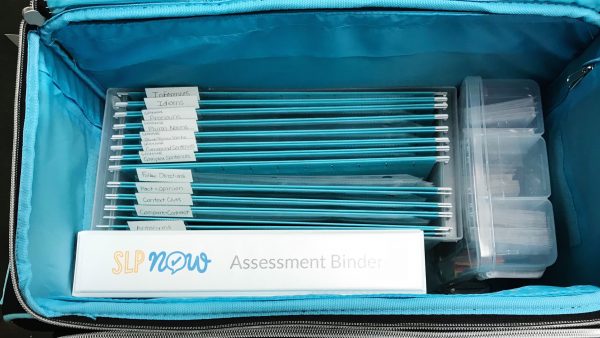
2. I set up my therapy cart to keep my materials organized and close by. (It makes it easier to clean up and set up, especially if students get the “routine” and are able to help.)

3. I shared Google Calendar appointments with my teachers. They can choose to get a notification five minutes before each session, which helps them remember to send their students and saves me a few minutes of running around the school.

Q: What do you do if they say they aren’t ready to learn? Send them back to class?
A: Not at all! If students aren’t “ready to learn,” it’s often because they are frustrated, sad, or tired. A quick joke or even just taking a minute to check in with them often does the trick. We might do a quick brain break or GoNoodle, if they need a little energy boost.

For more challenging students, collaboration with teachers is key. They often know the student best and are able to share strategies. (If not, then we can brainstorm together.)

Q: Do you send homework every session?
A: Confession. I’m not very good at homework! I really struggle A) to put homework packets together and B) to get students/parents to complete the activities.

However, I started using Remind this year. It’s a free messaging app, and I’ve had a lot of success with it! I’m able to share what we did in speech and include a quick idea for how parents can continue to support the skill(s) at home. It also helps open up communication with parents and increases their buy-in. Stay tuned for a blog post with more details!

Step 2: Data

Q: Where can I find your data sheets?
A: They are included in the SLP Now Membership, but they’re also FREE on Teachers Pay Teachers.

Q: Do you take data every session or at progress report time?
A: I take “data” every session. However, it’s not always numerical data. Sometimes it’s more helpful for me to know how much support a student needed and what types of cues were most helpful. (I do use a Level of Support Rubric to make sure that I’m being consistent!) Especially since stimulus items vary from session to session (e.g., difficulty of vocabulary in a book, complexity of articulation targets), I find that numerical data isn’t always the most helpful indicator. I will occasionally probe skills at the beginning of the session to help drive my therapy planning (if I’m unsure of where to go next).

Q: How do you take data during literacy-based activities?
A: I’ll write more about this in a future blog post, but the above answer describes my general approach. I tend to focus on narrative data describing the level of support the student needed to be successful.

Q: Do you take data for all responses or for just a set number of responses (for example five, 10, etc.)?
A: See above. However, when I do take more numerical data, I typically take data on the first 10 trials. I like this approach because it’s more like the “probes” they taught us to use in graduate school. It gives me an idea of whether the student is retaining the skill or not. It also allows me to slide the data binder out of the way and focus on the student(s) for the rest of the session.

Q: Do you find that if you’re doing sticker labels for your caseload that it gets expensive?
A: Not at all! They have some very inexpensive options on Amazon.

Step 3: Materials

Q: I love your therapy cart! Tell me more?
A: Thanks! I wrote about it here.

Q: Is the SLP Now Membership just for materials? Like the skill-based packs?
A: The membership does include therapy resources (e.g., theme- and skill-based activities), as well as organizational tools and a supportive SLP community. I’m also working on building a database of video tutorials and other resources. You can find out more about the membership here.

Q: Is there a trial for the SLP Now Membership?
A: Yes! Click here to sign up.

Q: What grade levels is SLP Now for?
A: The themed books and activities are most appropriate for preschool and early elementary caseloads, although the reading passages are written at an upper elementary level. The skill-based packs can be used with any student working on a given skill (e.g., basic concepts, categories, object functions, synonyms, context clues, inferences, etc.). We are working hard to expand the range of materials, including more resources for preschoolers, secondary, and more severely impacted students.

Q: When you have a membership to SLP Now, can you access previous months’ content, or just one month at a time?
A: It depends! Monthly members will have access to all the resources posted since their sign up date. Yearly members have access to all content posted on the site.

Q: You mentioned a book list. Where can I find this?
A: You can find my list of favorite themed books here. Book guides and activities will be posted in the SLP Now Membership for the majority of the books listed.

Q: Can I use DonorsChoose to purchase the SLP Now Membership?
A: Yes! You would just need enough points to purchase from an outside vendor. Find out more here.

Q: I love the rainbow “GRAMMAR” sign and other labels. Are those in membership?
A: Not yet! They will be soon.

Q: Your grammar board/pocket chart is awesome! Any resources on how to make this?
A: I will be writing a blog post soon!

Q: How do you use dry erase on the tables without leaving a big blob mess?
A: I just write on the table, and it comes off with an eraser. (I also wipe down the tables at the end of the day.) If you happen to have a super “blobby” table (they exist!), you can also use dry erase decals.

Q: Is EET appropriate for middle schoolers?
A: You can find out more here.

Q: Where do you find reading passages?
A: Here are some of my favorite sites:

NewsELA
ReadWorks
Reading A-Z
News-2-You

Step 4: Planning

Q: Do you plan the whole week or session by session?
A: My goal is to plan for the whole week, but that doesn’t always happen! I plan for at least a day at a time to save myself some time. (This allows me to batch copies and/or gather materials.)

Q: How much time do you spend planning for therapy?
A: With all of the other components taken care of (routine, data, and a core set of materials from the SLP Now Membership), I spend about 10 minutes planning for a week of therapy. I’m putting together a video tutorial so you can see exactly what that looks like.

Q: I really liked the set up of the paper planner you showed. Where did you get it?
A: I found that planner on Amazon.

Q: Is Google HIPAA/FERPA compliant?
A: We want to be careful with the information we share on Google. I never include a student’s full name (typically only initials). I also avoid storing personal identifiers (e.g., student ID, birth date, etc.).  You can read more about Google security here. If you are unsure, then contact an administrator in your district or work setting.

Q: What is a Text Expander? How do I set this up?
A: I wrote a blog post here.

Miscellaneous

Q: How many goals do your students have on average?
A: It depends on the student’s needs, but most of my students have 2-3 goals.

Q: What planner do you use?
A: I most consistently use Google Calendar and Asana. (Read more about my favorite digital tools here.) I do have a planner addiction and own the following… I’m working on picking ONE. Stay tuned to see which one wins…!

Erin Condren
Moleskine Planner
ban.do Planner
Day Designer planner from Target
Ultimate SLP Planner

Thank you again for all of your support! We absolutely loved this event!

Feel free to leave any additional questions in the comments!

I’d also love to hear/see how you’re implementing these ideas in therapy!

Filed Under: Caseload Management Tagged With: Professional Development, Therapy Plans

9 Tools for SLPs to Work Smarter: Tech Edition

January 25, 2017 by Marisha 9 Comments

Here are nine tools that help me worker smarter, not harder, as an SLP! I use these tools to help me work more efficiently when it comes to organizing materials, planning for therapy, managing progress monitoring, completing paperwork, and communicating with parents.

Caveat: If you’re not using any of these tools, then please don’t feel like you have to sign up for all of them! They won’t work for everyone, and it would probably be quite overwhelming (and counterproductive) to start using nine new tools all at once. Identify the areas that you struggle with most, and start using ONE new tool. Start where you are, and go from there. It makes it much more manageable that way.

So, let’s have a look!

1. Therapy Planning: Google Calendar

Google Calendar is my favorite! I set up recurring appointments for all of my therapy sessions, so I never forget to grab a student (which I’m embarrassed to admit would happen a lot without this tool)! I love the color-coding features.

Bonus hack? Share the event with your teachers for easy communication!

2. Therapy Activities: SLP Now Membership

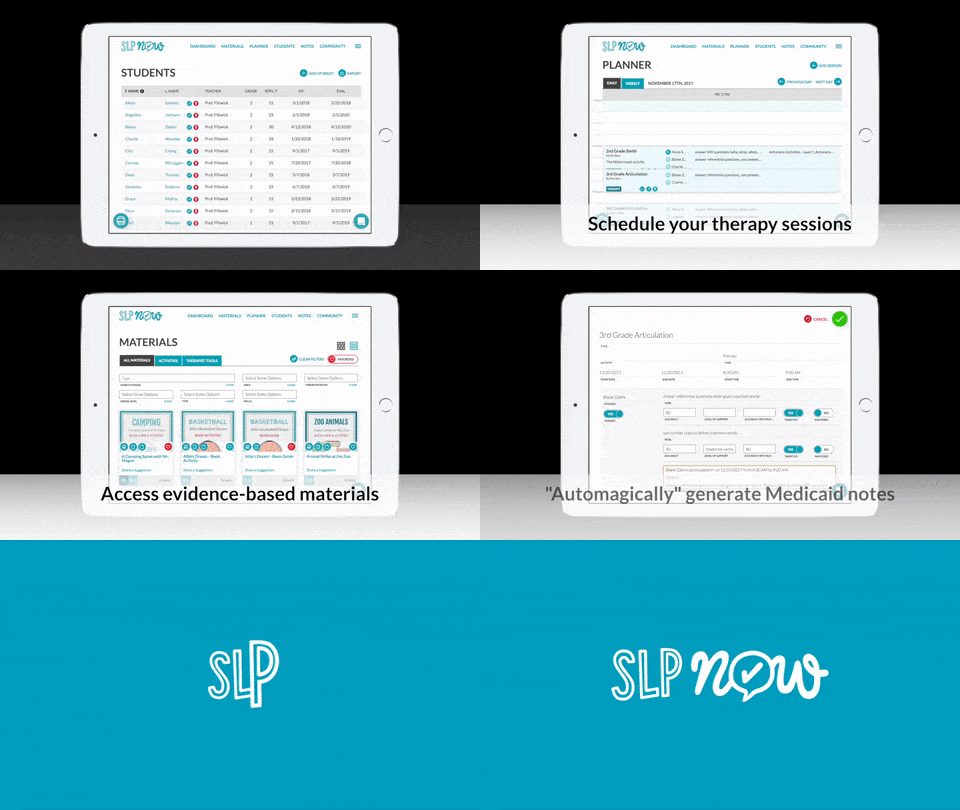
Anyone else struggle to come up with fun, engaging activity ideas week after week? Even if we have amazing ideas, who has time to find and prep all those activities? That’s why I created the SLP Now Membership. It includes a database of therapy activities for easy planning. From the themed activities (e.g., book guides, crafts, and open-ended activities) to the skill packs (to help you teach and scaffold new skills), the majority of planning is taken care of. You just have to pick which resources you want to use on any given week.

Even as SLPs, we need to work smarter and not harder. Check out this tech edition of my tools for SLPs to learn about nine tech tools that I highly recommend for helping you work and increasing your productivity!

3. Materials Organization: Evernote

Sarah from SLP Toolkit shares how she uses Evernote to inventory her materials. Genius! I use this to keep track of my books so I don’t buy 9348 duplicates. You could also use it to “scan in” therapy activities. I especially love the search feature for easy planning.

Evernote is also a great place to keep track of professional development notes for easy reference.

4. Materials Organization: Dropbox

I love using Dropbox to store parent handouts and other materials so they are easily accessible. This is a must for traveling SLPs!

5. Progress Monitoring: SLP Toolkit

This is a HUGE time-saver. This is my “go to” for present levels assessments, writing goals, and progress monitoring. SLP Toolkit makes it easy to gather evidence to back up my recommendations. It makes writing IEPs a breeze. The app even generates a profile of strengths and concerns that you can copy and paste into your report!

6. Paperwork: Text Expander

SLP Toolkit really cut down on my report time, because I no longer have to waste time second-guessing myself or digging through piles of old data sheets. They also have an awesome present levels summary that I use to shape my reports.

However, there is one more tool that I use to save even more time. I always used templates for the things we type in every. single. report, but it was almost more efficient to type it (rather than searching through my massive list of templates that I added to a Word document). Enter the text expander! I created “codes” for frequently uses phrases in reports, emails, and therapy notes. The app that I use automatically identifies when I’m writing things multiple times, so it helped me build my library. You can take a closer look here.

7. Paperwork (and To Do’s): Asana

I use Asana to keep track of all of my to do’s. I love that I can make lists and use their boards to keep track of processes (like IEPs and referrals). Stay tuned to learn more about how I use this.

8. Paperwork: Focus@Will

It may seem silly, but this music app really does help me focus! I put it on when I need to sit down and really focus on a project (like an IEP or progress reports). The music is actually pleasant to listen to, as well. I haven’t taken a good look at the research, but you can read more about it here. Another option is Brain.fm.

9. Homework/Parent Communication: Remind App

This has been a serious game changer for me when it comes to parent communication! I have a better relationship with my parents, and they are better equipped to help support speech/language skills at home. I send quick updates of what we did in therapy. I also use it to share homework ideas/activities. Stay tuned for more details!

Do you use any of these tools? Are there any that you want to try?

Filed Under: Caseload Management Tagged With: Apps, Google, Organizing Books, Organizing Digital Resources, Organizing Therapy Materials, Paperwork, Productivity, Tools

How to Use Articulation Station for Language Therapy

January 23, 2017 by Marisha 2 Comments

As school-based SLPs, we really have to be able to make the most of our resources. We don’t often have the time (or the money) to prepare materials for every possible goal. That’s when the creativity sets in. How can we use what we have to target all of our students’ goals? Articulation Station is the perfect app for this. Not only is it my favorite app for articulation (read more here!), but–with a few quick hacks–it also became a “go-to” resource for language.

Why even try? Good question. There are plenty of language apps out there. I was motivated to use Articulation Station because…

It’s my “go-to” app for articulation.

The graphics are beautiful. The real images are absolutely perfect for language activities.

It’s easier to stay in one app when working with mixed groups. The app’s group feature is amazing!

The app also makes it very easy to take data.

Many of my students have articulation and language goals. I love being able to target multiple goals within one activity.

Two Hacks

1. A Custom List

You can create your own word lists in the app! If you’re targeting action words, make a list of actions. This can take some time, but it can be a therapy activity in and of itself! “Is this an action word?”

Some other ideas?

Categories: Animals, Food, Colors

Parts of Speech: Nouns, Verbs *

Click here to find out how to make your own lists.

* NOTE: The app only includes nouns. However, there are many pictures of nouns in action (e.g., The lion is walking.). This wouldn’t be the quickest list to create, but it’s an option!

2. Custom Images

Just read an awesome book in therapy? Snap some pictures and add them to Articulation Station.

Click here to find out how to add your own images.

The Good News

You don’t have to “hack” Articulation Station to make this work. You can pick any list of works and still use them to target a variety of goals.

Activity Ideas

Goal 1: Categories

This one is easy! Have students identify which category an item is in. Articulation Station includes images of food, people, animals, places, etc. Exactly the types of categories we target in therapy! I just pick a sound, and we’ll go through the images and identify which group each item is in.

Another option! You can create a custom list of food, animals, places, etc. if you’re working on having students identify the items in that category.

Goal 2: Describing

You can take categories one step further! Use the Expanding Expression Tool to describe the pictures.

Goal 3: Compare/Contrast

The matching game is perfect for this skill! I have students tell me how the pictures they chose are the same and/or different. I use my Compare/Contrast Skill Pack with students who need extra visual support.

Goal 4: Following Directions/Basic Concepts

Have students tell each other which cards to turn over in the matching game. This is a perfect way to target those basic concepts (e.g., top, bottom, next to, under) and directions!

Goal 5: Grammar

You can have students generate sentences about the pictures. Use some sentence strips to increase student independence and to practice a variety of structures.

You could also use the unique sentences with older students who are working on identifying the subject/predicate or parts of speech.

Goal 6: Comprehension

Articulation Station includes two levels of stories. Level 1 includes a sentence with pictures of the key vocabulary words. (Perfect when you’re working on visualization as a comprehension strategy!) Level 2  includes a short paragraph (~6 sentences). You can have students read these passages. The best part? Each passage is followed be a few comprehension questions with a field of three choices. Pretty cool!

Goal 7: Fluency/Stuttering

The different levels are also perfect for fluency practice! You can give students the opportunity to use their fluency strategies while saying words, phrases, and sentences, eventually moving on to the passages.

Can you think of any other ways to use Articulation Station for language? Share your ideas in the comments!

All in all, this is a perfect solution for those mixed articulation/language groups. It gives me an opportunity to focus on drill with my articulation students, while still providing rich language practice for the other students. The app itself is very motivating for students, which increases engagement, as well!

Filed Under: Therapy Ideas Tagged With: Apps, Articulation, Language

CoughDrop: An Innovative App that is Changing AAC

January 21, 2017 by Marisha Leave a Comment

I am so excited to be featuring CoughDrop on the blog today! I met Brian at ASHA Schools in 2015, and I have been hooked on CoughDrop (the app!) ever since. This app is a serious game changer for AAC. The ease of use, automatic back-ups, team-based approach, and built-in data tracking are just a few of my favorite features.

Ever heard of CoughDrop? No, no, not the kind you use to combat cold symptoms. We’re talking about something better. CoughDrop is a powerful and versatile augmentative communication app.

You may be thinking, “There are tons of AAC apps out there; what makes CoughDrop so special?” Well, we’d love to share with you a little bit about why you should take a closer look at this AAC system.

CoughDrop was designed by a dad, Brian Whitmer, whose daughter is non-verbal. A programmer by trade, Brian believed there had to be a better way to help his daughter to communicate. He worked with dozens of speech-language pathologists from across the country and paired his mad computer skills with their powerful speech know-how. Together, they developed a program like no other.

So what makes CoughDrop different than any other AAC app out there?

To start, CoughDrop was built to live in the cloud — not a fluffy white one, but the internet kind. Being cloud-based means that all account information, speech boards, and preferences are saved securely outside the device, so even if that device gets lost or stolen (or eaten by a bear) the communicators’ speech boards and information are still safe and available.

And that brings up another way that CoughDrop is unique. CoughDrop is designed to be a cross-platform app which means it runs on nearly any device from an iPad to a Kindle and a Chromebook to an Android tablet. If a communicator’s iPad screen shatters, no problem; pull out your laptop or smartphone, open the program, and just keep talking.

CoughDrop was also created to support the entire AAC team, not just the communicator. This system offers free accounts to parents, teachers, and therapists who support an AAC user. The program includes a supervisor feature, which allows a teacher or SLP to follow and manage multiple communicators from their own CoughDrop dashboard. Logs, reports, and messaging built into the program let everyone involved with the AAC user stay connected and see the progress and growth that is happening every day. (Yes, that’s right! Built in data tracking! A speech therapist’s dream!)

Seriously, CoughDrop is not like any other AAC app you’ve seen.

But you don’t have to take our word for it. CoughDrop offers a two-month free trial for any new user so you can see if CoughDrop will be the right fit for your communicator. (It’s free for therapists and other team members!) Try it yourself or learn more by visiting us at www.mycoughdrop.com. We can’t wait to meet you!

(One bonus tidbit, in case you were wondering why the name CoughDrop, that one’s easy. When your voice gets a little bit hoarse, you pop in a cough drop to smooth things out and get yourself talking again. And that’s just what we want to do — help every voice be heard.)

Filed Under: Therapy Ideas Tagged With: AAC, Apps

A Year of FREE Open-Ended Reinforcers

January 4, 2017 by Marisha 2 Comments

Sometimes you just need some quick, open-ended reinforcers to keep students engaged. Here is a round-up of reinforcers to last the whole year!

Meredith from the Peachie Speechie has challenges for almost any season. They’re great motivators for students to get those 100 repetitions! Best of all, they’re low prep–just print and go!

M&M Articulation Challenge

And here are some other game ideas to get you through the year–from back to school to summer!

Back to School: Jenn Alcorn (Crazy Speech World) – Conversation Starters

Conversation Starters

Back to School: Jenn Alcorn (Crazy Speech World) – Pass the Pencil

Pass the Pencil

Apples/Fall (September): Figuratively Speeching SLP – Apple-Themed Games

Apple-Themed Open-Ended Games

Fire Saftey Month (October): Jenn Alcorn (Crazy Speech World) – Fire Pup Rescue

Fire Pup Rescue

Halloween (October): The Dabbling Speechie – A Spooky Ghost Game

Boo! Spooky Ghost Game

Election Day (November): Speech Time Fun – Help the Voter Get to the Ballot Box

Help the Voter Get to the Ballot Box (Election Day)

Hot Chocolate (Winter): Jenna Rayburn – Hot Chocolate Board Game

Hot Chocolate Board Game

Snow (Winter): The Dabbling Speechie – Winter Snow Day Scene

Winter Snow Day Picture Scenes

Penguins (Winter): Schoolhouse Talk – Penguins at Play

Penguins at Play

Groundhog Day (February): Jenna Rayburn – Groundhog Day Game

Groundhog Day Generic Game

Valentine’s Day (February): The Dabbling Speechie – Open-Ended Valentine’s Game

Open-Ended Valentine's Day-Themed Games

St. Patrick’s Day (March): Word to the Wise – St. Patrick’s Day Jackpot

St. Patrick's Day Jackpot

Bugs (Spring/Summer): The Dabbling Speechie – Catch a Bug Game

Catch a Bug Game

Nature Walk (Spring/Summer): The Dabbling Speechie – “I Spy” Nature Walk BINGO & Book

I Spy Nature Walk BINGO and Book

Ice Cream (Summer): Jenn Alcorn (Crazy Speech World) – Triple Scoop!

Triple Scoop Open-Ended Card Game

Camping (Summer): The Dabbling Speechie – Gone Camping Board Game

Gone Camping Game Board

S’mores/Camping (Summer): TLC Talk Shop – S’more Fun

S'more Fun Open-Ended Game


More Year-Round Ideas

Jenna Rayburn (Speech Room News) – Football Reinforcer

Down the Field Learning Reinforcer

The Dabbling Speechie – Swish! Basketball Game

Swish! An Open-Ended Basketball Game

Panda Speech – Baseball Game

Baseball No Prep Open-Ended Freebie

Kiwi Speech – Popcorn Reinforcer

Popcorn Open-Ended Reinforcement Game

The Speech Attic – Build a Sundae

Build a Sundae Open-Ended Game

Speech Time Fun – Feed the Clown

Feed the Clown File Folder Activities

Do you have any favorite reinforcers? Share them in the comments!

Filed Under: Therapy Ideas Tagged With: Freebies, Student Engagement

  • « Go to Previous Page
  • Page 1
  • Interim pages omitted …
  • Page 31
  • Page 32
  • Page 33
  • Page 34
  • Page 35
  • Interim pages omitted …
  • Page 38
  • Go to Next Page »

Platform

  • For SLPs
  • For Districts
  • Pricing
  • Contact

Resources

  • Success Stories
  • SLP Now Blog
  • Podcasts
  • Speech Therapy Tools
  • Reviews

Policies

    • Cookie Policy
    • Privacy Policy
    • Terms of Service
    • Trust Center


social links

youtube

Youtube

instagram

Instagram

facebook

Facebook

© 2026 | All Rights Reserved | SLP Now®