• Skip to primary navigation
  • Skip to main content
SLPNOW_Logo_Color
  • For SLPs
  • For Districts
  • Success Stories
  • Resources
    • Blog
    • Podcasts
    • SLP Goal Bank
    • Speech Therapy Tools
    • Contact
  • Pricing
Login
Free Trial

Marisha

To Do List Tricks for SLPs

April 25, 2016 by Marisha 6 Comments

This time of year is especially crazy! Anyone else feel like a headless chicken? Unless I have a calendar or my to do list in front of me, I often don’t know what’s next. Here are five things that I use to help keep me on track…

1. Caseload Spreadsheet with Due Dates

Pretty simple, but so important. I have a spreadsheet listing my students’ names and their evaluation/IEP due dates. This helps me quickly see when everything will be due. Excel has a nifty feature to sort by date, so it’s easy to see which paperwork is due first. (Check out this post for more details. It’s one of my oldies, but it’s still helpful!) If I have a lot of meetings due at the same time, then I might add a column to put in the scheduled meeting date–so I know which paperwork needs to get done first.

2. Google Calendar for Scheduling

My Google Calendar keeps me on track! I put all of my appointments in my calendar. I love it, because it syncs with my phone and my personal computer. If I need to schedule a personal appointment or if something comes up, I can easily see which days/times would work best. Here are a few things that I’ve done to make it work for me…

I schedule all of my therapy times and make the appointments reoccurring.

I also enter my meetings. (Since my therapy times are already blocked off, it makes it easy to see when I’m free.)

3. Google Calendar for To Do List Items

I create “all day” events for my to-do list. This is my favorite feature, because it has helped me be consistent and follow through with things I say I’m going to do.

Every month or so, I sit down and look at my caseload spreadsheet. I put in an event for when I need to start scheduling a meeting, writing an IEP, etc.

I make reoccurring to dos for things I need to do every few weeks or once a month (e.g., turn in overload paperwork).

As things come up, I add events to my calendar. If a teacher asks me to screen a student, I put it on the calendar. If I need to turn something in, I put it on the calendar. If I need to follow up with a teacher, I put it on the calendar.

Jumping ahead a little…I also use checklists to keep me on track. Depending on how much extra help I need, the checklist tasks may or may not make onto my calendar!

4. Pre-Made Checklists

I’ve talked about these checklists before, but they are also saving me from losing my mind! They help me…

Not forget important pieces (like scheduling a meeting…eep!)

Not waste time making lists (I’m guilty of making lists to make lists to make lists. Anyone else do that?)

Prioritize tasks

Feel less stressed (They help me feel like I have a plan, and I know the work will get done.)

Keep track of my notes (e.g., If I call a parent and they tell me something I need to include in my paperwork, I can quickly jot down notes on that child’s checklist.)

How? I made checklists for my IEPs and evaluations. I also made a lesson plan template with a to do list. The product includes many more editable checklists (based on other SLPs’ requests!), but the three I listed are my personal favorites. I laminate them so I can reuse them, which I like!

5. Sticky Notes

If there is something that I have to get done by the end of the day, I will jot it down on a sticky note and put it on my desk. I confess. I’m a sticky note waster. I usually put one task on each sticky note. It keeps me from putting too much on my plate, and it keeps me motivated. When I complete a task, I love crumpling up a sticky note and throwing it in the trash! If I don’t finish everything I wanted to get done, then I add it to my Google Calendar.

Those are my five tips for you! Now tell me…what is your favorite way to keep track of all things SLP?

Filed Under: Caseload Management Tagged With: Productivity, Products, To Do Lists

Water Beads for Speech & Language

April 24, 2016 by Marisha 2 Comments

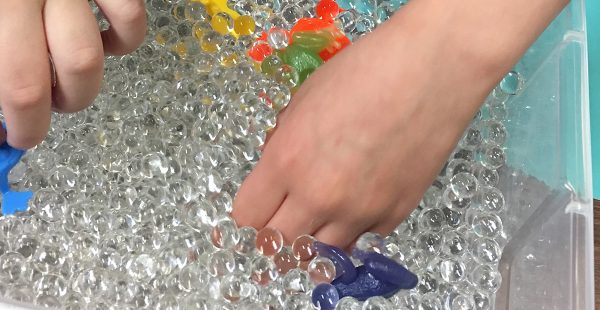
Have you heard of water beads? They are so much fun! They’re also easy to make. I ordered a pound of these beads from Amazon, and I received three small packets of beads. Half a packet made enough to fill a 6-quart tub with room for toys.

NOTE: The links below are Amazon Affiliate links for your convenience, but I may receive compensation if you click through and purchase one of the products. *

I put the dry beads in the tub and filled it with water. I always have to add more water than I expect! It takes a few hours for the beads to absorb the water and get to their full size.

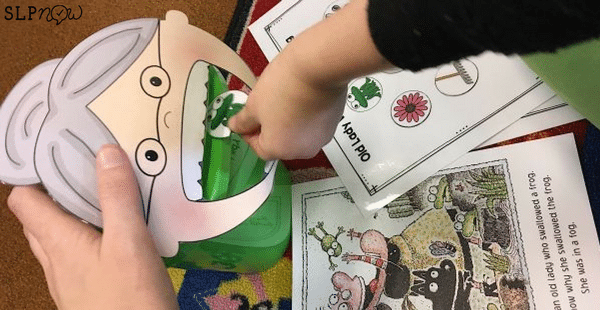
When they’re done, I add some toys! This week I added different frogs and a lily pad. Many of my groups read There Was an Old Lady Who Swallowed a Frog (using this book companion), and the beads were a fun reinforcer. It was also an awesome way to continue working on speech/language skills (and my kids thought they were getting a break!).

Water Beads

Want some ideas for therapy activities? Here are some of the things we worked on:

Describing: The different colors/textures of frogs gave us lots of opportunities! We can also describe the beads (or any other toys you choose). I love using the Expanding Expression Tool and my Teaching Visuals to help support students who need additional support.

Basic Concepts: Students can put the frogs in, on, under, next to, behind, etc.

Verbs: You can hide, scope, squeeze, bounce, etc. the beads.

Following Directions: Going along with basic concepts, students can follow (and give!) directions. Great way to work on receptive and expressive skills!

Articulation: Pick words that the student can use repetitively (e.g., “Scoop __”  or “Squeeze __” for /s/-blends) or strategically select toys that have their sounds in them.

Turn-Taking: The bin I used is pretty small, so some of my groups need to take turns. Even with smaller groups, the students have to share the toys in the bin.

Prepositions: Some beads inevitably fall out of the bin. We can use prepositions to help each other find the beads.

Joint Attention: For my minimally verbal kiddos working on joint attention, we sometimes take beads outside for some fun. They love seeing the beads bounce, and the beads are often a great communication temptation. I’ve gotten some beautiful eye contact, gestures, and some good laughs.

Problem Solving: Oh, and there’s some flexibility/problem solving built in, too… Sometimes the beads will get dirty, bounce out of reach, or (gasp) get smooshed.

And so much more! Let me know if you have more ideas!

A few more thoughts…

The beads hold up for quite a while, but I usually don’t get them for more than a few weeks at a time. I have kids wash hands before and after playing with the beads, but I’m sure germs still build up after a while.

The beads are supposed to be non-toxic, but I avoid using them with kids who I know will try to eat them.

Apparently you can dye and freeze the beads. You can also use them to make slime or add shaving cream. There are many more ideas on Pinterest.

To avoid finding beads around your room (and avoid the germ/eating issue), you could also add the beads to a balloon, water bottle, or plastic bag.

You can find fun toys to add to the beads at the dollar store, but I found some super cute fish and bugs on Amazon!

That’s all! Do you use these in therapy? Want to check them out? Click the link below!

  
If you want to hear me talk about the beads, watch this video!

* Marisha Mets is a participant in the Amazon Services LLC Associates Program, an affiliate advertising program designed to provide a means for sites to earn advertising fees by advertising and linking to Amazon properties including, but not limited to, amazon.com, endless.com, myhabit.com, smallparts.com, or amazonwireless.com.

Filed Under: Therapy Ideas Tagged With: Student Engagement, Theme-Based Therapy

Drawer Carts for Speech Room Organization

April 22, 2016 by Marisha 14 Comments

If you know me, then you probably know that I am obsessed with my drawer cart! I keep it right next to my therapy table, and I use it on a daily basis. I’ll show you how I use it, but I’ll also share four more ways you could use this awesome cart! (I might just have to buy more!)

NOTE: The links below are Amazon Affiliate links for your convenience, but I may receive compensation if you click through and purchase one of the books. *

Wondering where to find this cart? You can find it on Amazon here or at a craft store (like Michael’s or Jo-Ann Fabric).

1. Card Decks

I sorted my decks by therapy topic and made labels. I can use the decks with a variety of activities, so it makes for easy, low prep therapy!

Here are some of the decks I love:

Natalie Snyders – High Stakes Vocabulary

Nicole Allison – Context Clues

Peachie Speechie – Inferencing Decks

Kelly Workman – Tons of decks here too!

2. Homework

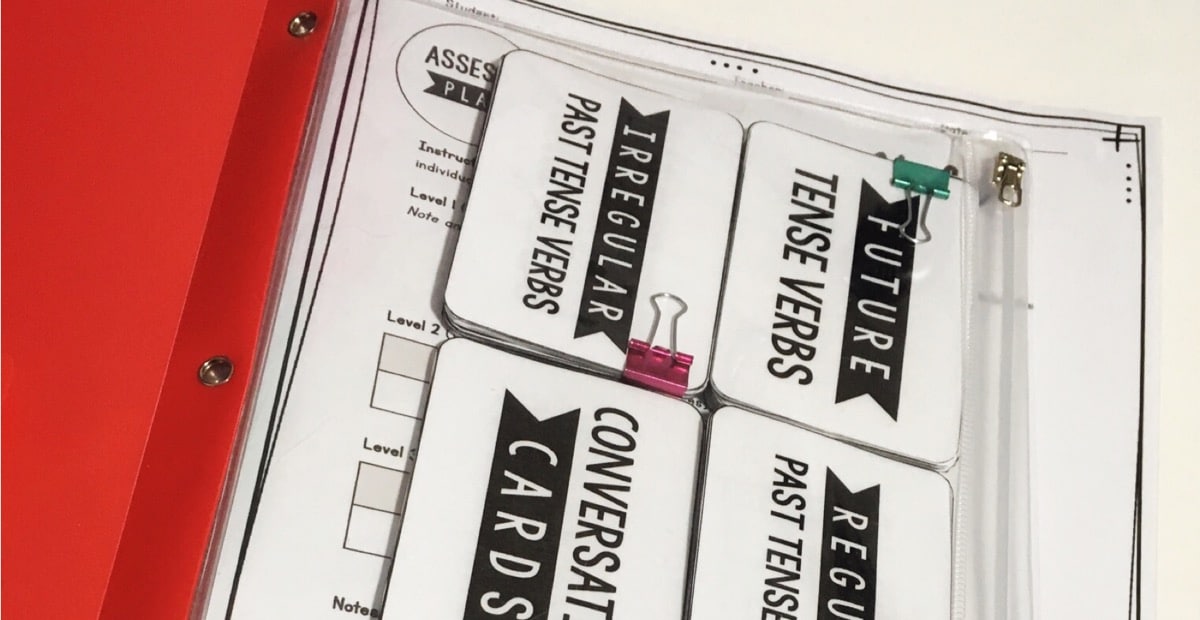
You could also use the drawers to store your homework activities/worksheets. You could make packets for every kid and make a label for each day of the week. Another option is to sort by different goal areas (e.g., articulation, vocabulary, etc.). Use paperclips or binder clips to keep your papers organized.

3. Thematic Units

Use these drawers to organize your units! You could keep books, activities, craft templates, etc. all in one place. Use binder clips, gallon bags, or plastic envelopes to keep the pieces together. (Links below!)

4. Craft/Office Supplies

You could use some (or all!) of the drawers for pens, pencils, paint, and other materials. Using plastic organizers would make it super organized!

5. Student Folders

You could keep your working files/folders in this cart, too! Sort by therapy schedule, grade, or group.

I know there must be many more ways to use these drawer carts. Let us know in the comments if you use them for something else!

* Marisha Mets is a participant in the Amazon Services LLC Associates Program, an affiliate advertising program designed to provide a means for sites to earn advertising fees by advertising and linking to Amazon properties including, but not limited to, amazon.com, endless.com, myhabit.com, smallparts.com, or amazonwireless.com.

Filed Under: Speech Room Organization Tagged With: Organizing Therapy Materials, Tools

Organizing Lesson Plan Materials

April 11, 2016 by Marisha Leave a Comment

It’s Monday afternoon. I’m feeling good, because I came up with an awesome lesson plan on Friday. My next group walks in the door, ready for another fun day in speech therapy. I know exactly what we’re going to do. But wait… Where are my materials??? They must have gotten misplaced in the crazy Monday shuffle. Not cool!

Has this happened to you? Yes? Okay, whew. I was hoping I wasn’t the only one. But guess what? This doesn’t happen to me anymore (or at least much less than it used to). I started consistently using three tools (and you probably already have them in your speech room).

It’s simple, really. I don’t know why I didn’t start doing this earlier!

The first step is to come up with a plan!

Once I have my therapy plan, I pull out the materials I’ll need. It kinds of reminds me of packing… Like we’re going on a speech trip? Here is where I put those materials…

1. The Inclusion Bag

I have a couple classrooms that I go to for inclusion (or push-in services). I spend a lot of time working in our preschool, so I have a bag filled with materials for my minimally verbal friends. I do some quick lessons in other classrooms, so I may or may not prep a bag depending on how many materials I need.

2. The Speech Bin

This is what I use the most often. I use it to keep the materials for the majority of my caseload together. On any given week you might find…

Books for the week

Folders for different therapy “groups” (e.g., activities, homework, craft templates)

TPT packets

Miscellaneous supplies

I also have decks of cards in my drawer cart, visuals hanging on my wall, and binders filled with teaching materials. Since those are organized (and stored close to my therapy table), I usually just grab those when I need them. Check out this post to see how I keep them organized.

3. Digital/iPad

Most of the materials I use on a daily basis live in the SLP Now Materials library. I pull them up on my iPad for quick and easy (evidence-based) therapy!

There you have it…

These three tools are really simple, but they help keep my speech room from getting too messy throughout the day. Everything has a place (even if it is temporary)! No more shuffling through piles of materials on my therapy table!

What are your favorite ways to keep track of therapy materials? Let me know in the comments!

Filed Under: Caseload Management Tagged With: Google, Organizing Therapy Materials, Therapy Plans

How to Survive IEP Season

April 4, 2016 by Marisha 3 Comments

It’s that time of year again. Referrals are flooding in, and piles of IEPs are coming due. Having trouble getting through the madness? Well, grab your beverage of choice and join me for a few quick tips.

NOTE: The links below are Amazon Affiliate links for your convenience, but I may receive compensation if you click through and purchase one of the products. *

1. Make a Plan

Write down all of your important due dates. Put the dates in your calendar and/or paperwork log. Schedule strategically, if at all possible.

2. Schedule Blocks of Time

Give yourself a good chunk of time to sit down and get some paperwork done. I find that I do really well first thing in the morning and can work for a few hours at a time. I sometimes come in early to make that happen. (Bonus? There is no one to distract me early in the morning!) You might do better in the afternoon. You know what works best for you. Don’t be afraid to close your door to limit distractions.

3. Love Those Lists!

Break down your tasks for yourself. It can be reinforcing to cross off “mini-tasks” along the way. Plus, if you get interrupted, then you’ll know exactly where to pick up. It’ll also help you avoid forgetting any key pieces. Check out this product for all of my favorite lists! Or check out this blog post for digital tricks!

4. Organize Your Working Documents

I LOVE this organizer (Amazon affiliate link). I made clips with erasable labels so I can jot down what I’m working on and reuse the label in the future. It also makes it really easy to see what I’m working on “at a glance.” When I’m working on a particular document, I pull that file. When I’m done, I put it back. This helps me keep my desk clean, and I can quickly find my paperwork. I also keep my “IEP/Evaluation Checklists” in these files.

5. Breathe

In just a few short months, it will be summer break. You’ve got this!


* Marisha Mets is a participant in the Amazon Services LLC Associates Program, an affiliate advertising program designed to provide a means for sites to earn advertising fees by advertising and linking to Amazon properties including, but not limited to, amazon.com, endless.com, myhabit.com, smallparts.com, or amazonwireless.com.

Filed Under: Caseload Management Tagged With: Motivation, Organizing a Desk, Paperwork

SLP Blogs: How to Keep Track

March 31, 2016 by Marisha 3 Comments

As you can see in Jenna Rayburn’s massive blog post, there are TONS of speech blogs–173 the last time I checked. (Wow!) How can anyone keep up with all that content?!

Well… I have an app for you! You can follow all of your favorite blogs on one awesome platform using Feedly. You can download the app on your desktop or mobile device, or you can just log in online. Best of all, it’s free!

Keeping up with all of your favorite SLP blogs has probably felt like a chore - until now! This post explains how you can use Feedly, a free app, to follow just your favorite SLP blogs and stay up-to-date with their content. There are tons of blogs out there, so I definitely recommend this app for only following your favorites!

To add your favorite blogs to your “feed,” click the “Add Content” button on the top left. You can do you own search or simply enter the URLs to your favorite blogs. Super simple!

Keeping up with all of your favorite SLP blogs has probably felt like a chore - until now! This post explains how you can use Feedly, a free app, to follow just your favorite SLP blogs and stay up-to-date with their content. There are tons of blogs out there, so I definitely recommend this app for only following your favorites!

There are some other awesome features and tips that I shared in a scope! Check it out!

Let me know how you like this! What else do you do to keep up with your favorite SLP bloggers?

Filed Under: Outside the Speech Room Tagged With: Motivation, Professional Development

How to Organize Digital Therapy Materials

March 30, 2016 by Marisha 4 Comments

Okay, okay. I admit it. I have a bit of addiction to therapy materials. My computer is quickly filling up with files. I have a feeling yours is too? At least we’re in the same boat? Here are some tips to help you organize all of those digital materials!

STEP 1: Find a Location!

Decide whether you want to set up your files on Google Drive, Dropbox, a USB, or your computer. Google Drive and Dropbox are great, because you can access your files anywhere. A USB is also very portable. I personally use my computer as my primary storage option. I have A TON of TPT files, and I really like some of the features I have on my Mac (stay tuned!). I do use my Google Drive/Dropbox (for my favorite, most frequently used TPT products) and have my USB as a backup.

STEP 2: Create a System

Decide how you want to organize your products. Does it make more sense to sort by therapy topic? By season? By type of material (e.g., no prep, task cards, etc.)? You know what works best for you, so decide on a system and stick to it! It’ll make it much easier to find what you are looking for when you are crunched for time. Create the folders for your system.

I know I can't be alone in asking, "How do I organize my digital therapy materials?" If you're like me and buy or download way too many resources, then you need to check out my 5-step tutorial in this post! It will help you organize all of those digital files to avoid clutter on your computer.

STEP 3: Everything Has a Place

Remember your system? Stick with it. Everything has a place. When you get a new product, put it away–right away. If you can’t make that happen, make sure those products still have a place (temporarily). I create an “ORGANIZE ME!” folder so that I know that I need to put those products in the right folder. Take my word for it, though: You don’t want the “ORGANIZE ME!” folder to start overflowing. It gets messy!

STEP 4: Use Tags

I love using tags for my digital files! I always code if I paid for something. You could also code for the type of activity (e.g., no prep worksheets, lesson plans, etc.) or the season. Lots of options! Check out this video to see how I search for products using these fun tags.

Here is a tutorial on how to make this work on Windows.

I know I can't be alone in asking, "How do I organize my digital therapy materials?" If you're like me and buy or download way too many resources, then you need to check out my 5-step tutorial in this post! It will help you organize all of those digital files to avoid clutter on your computer.

STEP 5: Change the View

Experiment with the different views. In Finder on Mac, you can choose whether you want to see your files as icons, as a list, in columns, or as cover flow. Windows has similar options, too. Try the different views and see which one works best for you. I love the icon view, because it makes it incredibly easy to see everything that you have at a glance. (Might also be why I’m obsessed with this view on TPT!)

I know I can't be alone in asking, "How do I organize my digital therapy materials?" If you're like me and buy or download way too many resources, then you need to check out my 5-step tutorial in this post! It will help you organize all of those digital files to avoid clutter on your computer.
And here’s some even more exciting news! I created three videos about how I organize my files. You can check out all the replays HERE.

Filed Under: Speech Room Organization Tagged With: Google, Organizing Digital Resources

How I Cut My Paperwork Time in HALF

March 28, 2016 by Marisha 15 Comments

Guys. This is a game changer. Seriously. Have you heard of a text expander? If you’re tired of paperwork, then you need to check it out!

A text expander allows you to create your own shortcuts. For example, if I always write “I love chocolate,” then I can enter a shortcut (e.g., .choc). Every time I type .choc, it will automatically “expand” to I love chocolate. Although I love chocolate, there are a number of slightly more functional ways to use this. Think frequently used phrases in evaluations/IEPs, evaluation/IEP templates, e-mail addresses, your credentials (all those fancy letters!), and so forth.

I used a text expander when I was in school, but I recently started using it to boost my productivity at work. Today, I’m sharing how this simple little tool can cut your writing time in HALF! As an added bonus, it might also reduce the number of typos in your reports.

Note: Some of you lucky ducks might have a paperwork program that already has this feature built in. If so, you can jump right ahead and start thinking about how else you might use this tool to save yourself some time!

What are the options?

I use TextExpander. This is one of the pricier options, but I chose it because I can sync between all of my devices. I use a few different computers/devices for work, so that was a very important feature for me! They have a free 30-day trial if you want to give it a try!

aText is a good option if you’re on a Mac. It’s $4.99. They also have a free 21-day trial!

Windows friends? You’re in luck. You can try Texter for free. (Caveat: I haven’t tried it myself yet, but I will let you know as soon as I do.) They have paid options out there, but I’ve heard that this one will do the job.

I tried a Google Chrome extension (Auto Text Expander) because I reeeeeeally wanted to be able to quickly sync my “codes” between multiple computers. Unfortunately, the expander wouldn’t work in my school’s IEP program, so I had to find a different option. It could work for you, though!

So, let’s hop to it. How do you use this text expander?

STEP 1: Review Your Paperwork

Go through your evaluation and IEP paperwork. Make a list of the things you are always having to type.
I already had a template made for the redundant phrases in my paperwork (e.g., student considerations, prior notice, etc.). I also went through and created templates for frequently administered tests (e.g., a test description and placeholders for test scores/interpretations). Before I started using the text expander, I would open my document and go back and forth to copy over the information. This was kind of annoying, and I didn’t even consistently use the templates I made.

Yes, this may take some time, but I promise it’ll be worth it!

STEP 2: Add Your Phrases

Add your “template” phrases to your text expander.

I made up an abbreviation, put in the content, and made a label (optional). So easy!

Check out the video above for a tutorial on how to get this set up! Click here to download the FREE step-by-step guide.

Another tip? I use “***” as a placeholder for the student’s name (or appropriate pronoun). When I’m filling in the report, I can hit CTRL+F (Windows) or COMMAND+F (Mac) to quickly find and replace all the stars. You can also use a similar trick for pronouns (e.g., type “his/her” and then search to replace with the correct pronoun).

STEP 3: Make a Cheat Sheet

You won’t need this forever, but it’s helpful to have a list of your “shortcuts” at your fingertips. Having a list can also help you make sure you don’t miss any important parts of the IEP. Anyone else always forget to mention the oral mech exam?

Better yet, just open up the program and make the window smaller. I pull it up next to the program that I use for my IEPs for easy reference.

STEP 4: Write Your Evaluations and IEPs at Record Speeds!

Now that you are completing paperwork at record speeds, what will you do with your time?

Let me know what you think in the comments below! Do you already use a text expander, or do you think you might use one? How else might you use this simple tool?

Filed Under: Caseload Management Tagged With: Paperwork, Productivity

Quick & Easy Clip Art Organization

March 25, 2016 by Marisha 2 Comments

Confession 1. I am a clip art addict. I loveeeee clip art. Raise your hand if you are in the same boat as me!

Confession 2. I have a hard time remembering what clip art I have (or finding exactly what I want). Does anyone else have the same problem? Sometimes I’m just looking for inspiration, and clicking through each folder isn’t very efficient.

Well… I think I just stumbled on a perfect solution. Image2Icon is a dream come true! Seriously.

So, this is what I was working with: a sea of blue folders.

The TPT seller's obsession with clip art is almost bad as the obsession with fonts, am I right?! I share an amazing app that allows you to convert TPT product covers into icons for your computer to help you improve your digital organization. I share the steps on how to do it, too, so click through to get all the details!


Look what my clip art looks like now! I now know exactly what I have in each folder.

The TPT seller's obsession with clip art is almost bad as the obsession with fonts, am I right?! I share an amazing app that allows you to convert TPT product covers into icons for your computer to help you improve your digital organization. I share the steps on how to do it, too, so click through to get all the details!


If I switch to the “Cover Flow View,” I can quickly scroll through the preview images when I’m looking for inspiration (instead of having to open each individual folder). AMAZING!

The TPT seller's obsession with clip art is almost bad as the obsession with fonts, am I right?! I share an amazing app that allows you to convert TPT product covers into icons for your computer to help you improve your digital organization. I share the steps on how to do it, too, so click through to get all the details!


Want to know the best part? If you use the Image2Icon app, you don’t need to do any coding or move any files. It’s super easy.

When you open the app, this window will pop up.

The TPT seller's obsession with clip art is almost bad as the obsession with fonts, am I right?! I share an amazing app that allows you to convert TPT product covers into icons for your computer to help you improve your digital organization. I share the steps on how to do it, too, so click through to get all the details!


First, drag the preview image into the circle.

The TPT seller's obsession with clip art is almost bad as the obsession with fonts, am I right?! I share an amazing app that allows you to convert TPT product covers into icons for your computer to help you improve your digital organization. I share the steps on how to do it, too, so click through to get all the details!


Then, drag the clip art folder into the circle to “set the icon.”

Then–like magic–you have a fancy new icon for your clip art folder. Within seconds. No coding or moving files around. SO EASY! Just three easy steps.

  1. Open the Image2Icon app.
  2. Drag and drop your clip art preview image.
  3. Drag and drop your clip art folder.

Also–if you decide you don’t like the icon you picked, you can click on “Restore” (bottom of the “home” screen) and drag your file to “restore” the blue folder icon.

So easy! What are you waiting for? Download the Image2Icon app now!

Want a few more quick tips?

Pick a “system” for organizing your clip art. I make a folder for each artist, and then I keep the folders for each individual set. Everyone does things a little differently though; decide what makes the most sense to you!

To make searching easier, I use tags. I tag folders for products that are paid. I also tag different “categories” of clip art (e.g., papers, borders, etc). You could also tag by season or clip artist, if that make more sense to you!

Read more about digital organization here.

Filed Under: Speech Room Organization Tagged With: Organizing Digital Resources

How to Survive Parent Conferences

March 13, 2016 by Marisha 1 Comment

Do you attend parent conferences? Parent conferences are a crazy time for this SLP, but it’s worth it to be able to connect with parents in person. Here are a few tips to help you make the most of conferences…

1. Make a Schedule

At my school I’ve had five conferences scheduled in the same 30-minute block. When I’m making my schedule, I prioritize which students I need to see. I write them in my schedule that way so that I don’t have to stress about that piece when I’m running from class to class.

I create an Excel worksheet to keep track of my conference schedule. I type the schedule into the worksheet and include relevant information (e.g. student, parent, teacher, conference date/time). I like using Excel, because it is easy to make changes, and it helps me keep track of what I need. It’s not the prettiest document ever, but it is a huge time-saver. Check out this blog post to see how I use Excel to keep myself organized!

2. Give Them Something to Take Home

Parents are being bombarded with information at conferences, so be sure to provide the parents with something to take home. I also include my contact information on these sheets so that they can contact me with any questions. Progress reports always coincide with parent conferences, so I just bring a copy of their progress report. Join me next week for progress report tricks!

3. Take Action!

I provide parents with at least one resource to help their students continue to make progress at home. To be completely honest, I struggle with parent follow-through, but it’s so important. I try my best, and I have some new ideas in the works! In the meantime check out Nicole’s Parent Teacher Conference Forms or Jenna’s parent handouts for some inspiration! Natalie Snyders also has a helpful freebie.

4. Involve Students

For my older students, I like to have them take charge and explain what they’re working on in speech. This is something we work really hard on! I bring in my Progress Monitoring Decks, so my students can refer to their goal cards and brag tags. We also use visuals from my Progress Monitoring Kit. It’s amazing to see students share their progress with their parents.

Parent conferences are a crazy time for all educators, including SLPs. How can you make it easier for yourself? Well, I've got FIVE tips in this post, including links to other blog posts and resources to give you lots of tools to make parent conferences manageable. Read this post to get all of the tips, downloads, and a video!


5. Organize Your Materials

I create a mini packet with each student’s progress report and a resource to share with parents (e.g., activity ideas for home). I sort the packets by day/time. There’s nothing better than seeing that pile shrink!

I also print off the Excel sheet so I know the exact times for each conference. Oh, and I also bring my Parent Communication Labels, in case I need to take notes (read all about them here).

Hope this was helpful! Be sure to share your favorite parent conference tips in the comments.

And here is my scope!

Filed Under: Caseload Management Tagged With: Parent Communication, Student Engagement, Teacher Communication

4 Time-Saving Tips for Stress-Free Parent Communication

March 6, 2016 by Marisha 3 Comments

How can we possibly make time for parent communication when we have so. much. to. do? I have a few ideas that might help make it a little easier…

Parent communication can be a beast for anyone working in a school, but for SLPs it can be especially tricky because of our large caseloads. I share four time-saving tips in this blog post, as well as a link to a free parent communication log template that will help you get – and stay – organized. Get all of the details and the freebie inside!

But First… Why Communicate?

You have so much on your plate… Why take the time to communicate?

Having a good communication system can actually save you time (and help your students)!

  • It cuts down on IEP meeting time (and makes meetings more productive).
  • It empowers parents to participate in the team.
  • It gives parents tools that they can use support their child’s progress.
  • It improves student outcomes (Stoner et al., 2013; Kaiser & Roberts, 2013).
  • And more!

The best part? I’ve got some time-saving tips!

1. Make a list of student contact information.

Save time by putting your students’ contact information in one list! (I don’t know about you, but it often takes 2-3 minutes just to be able to look up a phone number at my school.) Keep the list handy so it’s easy to make a quick phone call.

2. Keep a parent communication log.

Ain’t no one got time to log all the little things that we do, but–if I have a more substantive conversation with a parent–I make sure to log it. SLP Now has a section specifically for parent communication tracking! But if you’re not a member, scroll down to download the free parent communication log template.

For a low tech option, check out Queen Speech’s label idea. I used to make my own labels to log parent communication, and I kept them by my phone. This way I can easily jot down notes whenever I was talking to a parent. Every few weeks, I transferred the labels to the students’ individual communication logs.

3. Communicate early (before the IEP is due).

Keep track of your IEP due dates and start contacting parents early. I use SLP Now to keep track of my IEP/evaluation due dates. I also add reminders on my Google Calendar to help me remember when to start making calls.

4. Communicate regularly.

At the beginning of the school year, I was really good at making phone calls to touch base with parents (especially when a student did something awesome), but that quickly became unmanageable as my caseload grew. Instead, I looked for easier, more efficient ways to keep in touch. Here are some of my favorites:

• At the beginning of the school year, I send home a quick letter to all of my students. Natalie Snyders has a great template.
• I also did a review of different time-saving tools for parent communication and homework.
• I attend parent conferences!

You could also…

• Write quick notes on my students’ homework.
• Send home brag tags with students.
• Send home weekly/monthly newsletters.


Check out this video for a peek at some of these materials/ideas…

As I mentioned before, parent conferences are a great time to touch base with parents. I shared my favorite tips and tricks for these meetings here!

Now you tell me… What are your favorite tips/tricks when it comes to parent communication?

Filed Under: Caseload Management Tagged With: Parent Communication, Productivity

The Best Way to Collect Speech Therapy Data

February 20, 2016 by Marisha 22 Comments

One of the questions I get most often is about speech therapy student data collection (and how to keep it all organized)! I polled my speech therapy community to vote for their favorite data collection solutions to understand what works best for each type of SLP. This is a pretty dense blog post, but I hope it’ll be helpful–especially if you’re not sure where to start or if you’re unhappy with how you’re currently taking data.

There are hundreds (maybe even thousands?!) of unique ways to collect data. I’ve struggled to find the “best” data collection system for my caseload. Let me tell you, I have tried a number of different “systems.”

In order to help YOU decide which system you might like to try, I’m doing a round-up of a handful of different data collection tools. First, I’ll have a list of things to consider. Then, I’ll tell you about three broad “categories” of data sheets. I will briefly touch on how you can organize your data and share a handful of tips and tricks. Let’s hop to it!


If you’re a busy SLP and want a quick answer, take this quick quiz!


The Big Questions

Before you pick a system, ask yourself…

Do I want data sheets for individual students? Do I want multiple students on one page?
Do I want my students’ goals on each data sheet? What other information do I need?
What type of data am I tracking (percentages, trials, rating scales, checklists, narrative)?
Do I need graphs?
Do I want a “paper and pencil” system? Or a digital system?
How will I store my data?
Will my students be involved in tracking data?


Tips & Tricks for Speech Therapy Data Collection

1. Don’t be afraid to mix and match.

I use a different system for preschool than I do for my older students. Therapy looks a lot different in both of those settings, so I picked a data collection tool that would help me track progress as effectively as possible.

2. Use keys.

Develop a key for things that you end up writing a lot (e.g., types of cueing, anyone?). It might be helpful to include on your data sheet. This will keep you consistent and allow anyone else looking at your data sheet to decipher it (or at least attempt to)!

If you’re taking data digitally, you can also use a text expander!

3. Think ahead.

When you’re writing the IEP in the first place, think about how you are going to measure progress. Do you want to use percentages, trials, a rating scale, a checklist, or a combination? When you are setting up your data sheets, what information are you always scrambling to find when you’re updating an IEP or writing progress reports? Pick a system that will make it easy to do what you say you’re going to do!

4. Make a system.

Systems are a great way to stay organized. When I used paper data, I spent a lot of time carefully putting together my binders in a way that would make them easy to use. I scheduled formal progress monitoring strategically. We are far too busy to spend time shuffling through papers trying to find what we need, so plan ahead and make a system that works for you!


Traditional Speech Therapy Data Sheets

1. Individual Data Sheets

This seems to be a popular option! There are SO many different data sheets out there. Click here to access free speech therapy data sheets that are fully editable and include options for individual and group data. The “Notes” box is also big enough for 1 x 2.62″ labels (see Amazon link at the bottom of this post).

2. Daily Sheets

Natalie Snyders wrote a blog post about how she uses ONE sheet of paper for a whole day of students.

Tip: I like to create my data sheets in PowerPoint. I copy my students’ goals/information onto the data sheet, and it is super easy to copy and paste slides to make multiple data sheets. Excel would also work. Microsoft Word is a little trickier; I always seem to have a hard time getting the spacing to stay the same when I copy and paste.


Label Speech Therapy Data Sheets

You can use mailing labels for your larger groups and in-class interventions. It makes it possible to take data for multiple students without having to flip to each student’s individual data sheet. At the end of the session, you just stick the label on their individual data sheet. It can be difficult to maintain, but it does make group data a little easier!

I wasn’t the only one with this idea! Rachel from Queen’s Speech wrote a fabulous blog post on how she uses labels for data tracking. Nicole from Speech Peeps also talks about how she uses labels to track RTI data in this blog post. Both posts include free templates!

You could also use labels to log parent communication.


Electronic Speech Therapy Data Sheets

1. Google Drive

I just wrote a detailed post about this (including a video tutorial). Check it out here.
2. Excel Spreadsheet

This could look really similar to what I showed you in Google Drive. With this option, it might be harder to collaborate with other SLPs/educators, and you wouldn’t be able to take data on-the-go (e.g., using a Google Form or a QR code). However, it is more secure, and you don’t have to rely on Internet connectivity.

3. Word Document

I know some of my friends type in their data on the computer. You could use my Data Sheets on TPT to do this. I haven’t tried it, but they say the ability to copy and paste for billing purposes is a time saver. Word might also be more user-friendly if you’re not a huge fan of tech.

4. SLP Now

SLP Now also has a set of tools to manage your data digitally. You can import your caseload, set up your therapy schedule, enter student data, and automatically generate graphs/Medicaid notes in one streamlined system! We also have built-in tools to help you keep track of parent communication.


Want to start taking Digital Data? Join our free Digital Data Bootcamp today and get started!


Speech Therapy Data Storage

1. Binder

Data binders are very popular! You can use dividers to separate students by day. You can also use the binder to store attendance logs, data sheets, progress monitoring sheets, and other useful caseload data.

2. File Folders

I started the year using file folders (one for each student). It was nice because I could grab all the folders for one day and put them by my therapy table. It was rewarding to see the pile shrink as the day went on. I also used the folders to store activities and progress monitoring sheets.

Personally, I found that it was easier to keep my data sheets in one place (a binder). It wasn’t streamlined enough for me.

3. Electronic

Yay! We touched on this already!


Want to start taking Digital Data? Join our free Digital Data Bootcamp today and get started!

Filed Under: Caseload Management Tagged With: Data, Paperwork, Progress Monitoring

  • « Go to Previous Page
  • Page 1
  • Interim pages omitted …
  • Page 34
  • Page 35
  • Page 36
  • Page 37
  • Page 38
  • Go to Next Page »

Platform

  • For SLPs
  • For Districts
  • Pricing
  • Contact

Resources

  • Success Stories
  • SLP Now Blog
  • Podcasts
  • Speech Therapy Tools
  • Reviews

Policies

    • Cookie Policy
    • Privacy Policy
    • Terms of Service
    • Trust Center


social links

youtube

Youtube

instagram

Instagram

facebook

Facebook

© 2026 | All Rights Reserved | SLP Now®