• Skip to primary navigation
  • Skip to main content
SLPNOW_Logo_Color
  • For SLPs
  • For Districts
  • Success Stories
  • Resources
    • Blog
    • Podcasts
    • SLP Goal Bank
    • Speech Therapy Tools
    • Contact
  • Pricing
Login
Free Trial

Marisha

How I Cut My Paperwork Time in HALF

March 28, 2016 by Marisha 15 Comments

Guys. This is a game changer. Seriously. Have you heard of a text expander? If you’re tired of paperwork, then you need to check it out!

A text expander allows you to create your own shortcuts. For example, if I always write “I love chocolate,” then I can enter a shortcut (e.g., .choc). Every time I type .choc, it will automatically “expand” to I love chocolate. Although I love chocolate, there are a number of slightly more functional ways to use this. Think frequently used phrases in evaluations/IEPs, evaluation/IEP templates, e-mail addresses, your credentials (all those fancy letters!), and so forth.

I used a text expander when I was in school, but I recently started using it to boost my productivity at work. Today, I’m sharing how this simple little tool can cut your writing time in HALF! As an added bonus, it might also reduce the number of typos in your reports.

Note: Some of you lucky ducks might have a paperwork program that already has this feature built in. If so, you can jump right ahead and start thinking about how else you might use this tool to save yourself some time!

What are the options?

I use TextExpander. This is one of the pricier options, but I chose it because I can sync between all of my devices. I use a few different computers/devices for work, so that was a very important feature for me! They have a free 30-day trial if you want to give it a try!

aText is a good option if you’re on a Mac. It’s $4.99. They also have a free 21-day trial!

Windows friends? You’re in luck. You can try Texter for free. (Caveat: I haven’t tried it myself yet, but I will let you know as soon as I do.) They have paid options out there, but I’ve heard that this one will do the job.

I tried a Google Chrome extension (Auto Text Expander) because I reeeeeeally wanted to be able to quickly sync my “codes” between multiple computers. Unfortunately, the expander wouldn’t work in my school’s IEP program, so I had to find a different option. It could work for you, though!

So, let’s hop to it. How do you use this text expander?

STEP 1: Review Your Paperwork

Go through your evaluation and IEP paperwork. Make a list of the things you are always having to type.
I already had a template made for the redundant phrases in my paperwork (e.g., student considerations, prior notice, etc.). I also went through and created templates for frequently administered tests (e.g., a test description and placeholders for test scores/interpretations). Before I started using the text expander, I would open my document and go back and forth to copy over the information. This was kind of annoying, and I didn’t even consistently use the templates I made.

Yes, this may take some time, but I promise it’ll be worth it!

STEP 2: Add Your Phrases

Add your “template” phrases to your text expander.

I made up an abbreviation, put in the content, and made a label (optional). So easy!

Check out the video above for a tutorial on how to get this set up! Click here to download the FREE step-by-step guide.

Another tip? I use “***” as a placeholder for the student’s name (or appropriate pronoun). When I’m filling in the report, I can hit CTRL+F (Windows) or COMMAND+F (Mac) to quickly find and replace all the stars. You can also use a similar trick for pronouns (e.g., type “his/her” and then search to replace with the correct pronoun).

STEP 3: Make a Cheat Sheet

You won’t need this forever, but it’s helpful to have a list of your “shortcuts” at your fingertips. Having a list can also help you make sure you don’t miss any important parts of the IEP. Anyone else always forget to mention the oral mech exam?

Better yet, just open up the program and make the window smaller. I pull it up next to the program that I use for my IEPs for easy reference.

STEP 4: Write Your Evaluations and IEPs at Record Speeds!

Now that you are completing paperwork at record speeds, what will you do with your time?

Let me know what you think in the comments below! Do you already use a text expander, or do you think you might use one? How else might you use this simple tool?

Filed Under: Caseload Management Tagged With: Paperwork, Productivity

Quick & Easy Clip Art Organization

March 25, 2016 by Marisha 2 Comments

Confession 1. I am a clip art addict. I loveeeee clip art. Raise your hand if you are in the same boat as me!

Confession 2. I have a hard time remembering what clip art I have (or finding exactly what I want). Does anyone else have the same problem? Sometimes I’m just looking for inspiration, and clicking through each folder isn’t very efficient.

Well… I think I just stumbled on a perfect solution. Image2Icon is a dream come true! Seriously.

So, this is what I was working with: a sea of blue folders.

The TPT seller's obsession with clip art is almost bad as the obsession with fonts, am I right?! I share an amazing app that allows you to convert TPT product covers into icons for your computer to help you improve your digital organization. I share the steps on how to do it, too, so click through to get all the details!


Look what my clip art looks like now! I now know exactly what I have in each folder.

The TPT seller's obsession with clip art is almost bad as the obsession with fonts, am I right?! I share an amazing app that allows you to convert TPT product covers into icons for your computer to help you improve your digital organization. I share the steps on how to do it, too, so click through to get all the details!


If I switch to the “Cover Flow View,” I can quickly scroll through the preview images when I’m looking for inspiration (instead of having to open each individual folder). AMAZING!

The TPT seller's obsession with clip art is almost bad as the obsession with fonts, am I right?! I share an amazing app that allows you to convert TPT product covers into icons for your computer to help you improve your digital organization. I share the steps on how to do it, too, so click through to get all the details!


Want to know the best part? If you use the Image2Icon app, you don’t need to do any coding or move any files. It’s super easy.

When you open the app, this window will pop up.

The TPT seller's obsession with clip art is almost bad as the obsession with fonts, am I right?! I share an amazing app that allows you to convert TPT product covers into icons for your computer to help you improve your digital organization. I share the steps on how to do it, too, so click through to get all the details!


First, drag the preview image into the circle.

The TPT seller's obsession with clip art is almost bad as the obsession with fonts, am I right?! I share an amazing app that allows you to convert TPT product covers into icons for your computer to help you improve your digital organization. I share the steps on how to do it, too, so click through to get all the details!


Then, drag the clip art folder into the circle to “set the icon.”

Then–like magic–you have a fancy new icon for your clip art folder. Within seconds. No coding or moving files around. SO EASY! Just three easy steps.

  1. Open the Image2Icon app.
  2. Drag and drop your clip art preview image.
  3. Drag and drop your clip art folder.

Also–if you decide you don’t like the icon you picked, you can click on “Restore” (bottom of the “home” screen) and drag your file to “restore” the blue folder icon.

So easy! What are you waiting for? Download the Image2Icon app now!

Want a few more quick tips?

Pick a “system” for organizing your clip art. I make a folder for each artist, and then I keep the folders for each individual set. Everyone does things a little differently though; decide what makes the most sense to you!

To make searching easier, I use tags. I tag folders for products that are paid. I also tag different “categories” of clip art (e.g., papers, borders, etc). You could also tag by season or clip artist, if that make more sense to you!

Read more about digital organization here.

Filed Under: Speech Room Organization Tagged With: Organizing Digital Resources

How to Survive Parent Conferences

March 13, 2016 by Marisha 1 Comment

Do you attend parent conferences? Parent conferences are a crazy time for this SLP, but it’s worth it to be able to connect with parents in person. Here are a few tips to help you make the most of conferences…

1. Make a Schedule

At my school I’ve had five conferences scheduled in the same 30-minute block. When I’m making my schedule, I prioritize which students I need to see. I write them in my schedule that way so that I don’t have to stress about that piece when I’m running from class to class.

I create an Excel worksheet to keep track of my conference schedule. I type the schedule into the worksheet and include relevant information (e.g. student, parent, teacher, conference date/time). I like using Excel, because it is easy to make changes, and it helps me keep track of what I need. It’s not the prettiest document ever, but it is a huge time-saver. Check out this blog post to see how I use Excel to keep myself organized!

2. Give Them Something to Take Home

Parents are being bombarded with information at conferences, so be sure to provide the parents with something to take home. I also include my contact information on these sheets so that they can contact me with any questions. Progress reports always coincide with parent conferences, so I just bring a copy of their progress report. Join me next week for progress report tricks!

3. Take Action!

I provide parents with at least one resource to help their students continue to make progress at home. To be completely honest, I struggle with parent follow-through, but it’s so important. I try my best, and I have some new ideas in the works! In the meantime check out Nicole’s Parent Teacher Conference Forms or Jenna’s parent handouts for some inspiration! Natalie Snyders also has a helpful freebie.

4. Involve Students

For my older students, I like to have them take charge and explain what they’re working on in speech. This is something we work really hard on! I bring in my Progress Monitoring Decks, so my students can refer to their goal cards and brag tags. We also use visuals from my Progress Monitoring Kit. It’s amazing to see students share their progress with their parents.

Parent conferences are a crazy time for all educators, including SLPs. How can you make it easier for yourself? Well, I've got FIVE tips in this post, including links to other blog posts and resources to give you lots of tools to make parent conferences manageable. Read this post to get all of the tips, downloads, and a video!


5. Organize Your Materials

I create a mini packet with each student’s progress report and a resource to share with parents (e.g., activity ideas for home). I sort the packets by day/time. There’s nothing better than seeing that pile shrink!

I also print off the Excel sheet so I know the exact times for each conference. Oh, and I also bring my Parent Communication Labels, in case I need to take notes (read all about them here).

Hope this was helpful! Be sure to share your favorite parent conference tips in the comments.

And here is my scope!

Filed Under: Caseload Management Tagged With: Parent Communication, Student Engagement, Teacher Communication

4 Time-Saving Tips for Stress-Free Parent Communication

March 6, 2016 by Marisha 3 Comments

How can we possibly make time for parent communication when we have so. much. to. do? I have a few ideas that might help make it a little easier…

Parent communication can be a beast for anyone working in a school, but for SLPs it can be especially tricky because of our large caseloads. I share four time-saving tips in this blog post, as well as a link to a free parent communication log template that will help you get – and stay – organized. Get all of the details and the freebie inside!

But First… Why Communicate?

You have so much on your plate… Why take the time to communicate?

Having a good communication system can actually save you time (and help your students)!

  • It cuts down on IEP meeting time (and makes meetings more productive).
  • It empowers parents to participate in the team.
  • It gives parents tools that they can use support their child’s progress.
  • It improves student outcomes (Stoner et al., 2013; Kaiser & Roberts, 2013).
  • And more!

The best part? I’ve got some time-saving tips!

1. Make a list of student contact information.

Save time by putting your students’ contact information in one list! (I don’t know about you, but it often takes 2-3 minutes just to be able to look up a phone number at my school.) Keep the list handy so it’s easy to make a quick phone call.

2. Keep a parent communication log.

Ain’t no one got time to log all the little things that we do, but–if I have a more substantive conversation with a parent–I make sure to log it. SLP Now has a section specifically for parent communication tracking! But if you’re not a member, scroll down to download the free parent communication log template.

For a low tech option, check out Queen Speech’s label idea. I used to make my own labels to log parent communication, and I kept them by my phone. This way I can easily jot down notes whenever I was talking to a parent. Every few weeks, I transferred the labels to the students’ individual communication logs.

3. Communicate early (before the IEP is due).

Keep track of your IEP due dates and start contacting parents early. I use SLP Now to keep track of my IEP/evaluation due dates. I also add reminders on my Google Calendar to help me remember when to start making calls.

4. Communicate regularly.

At the beginning of the school year, I was really good at making phone calls to touch base with parents (especially when a student did something awesome), but that quickly became unmanageable as my caseload grew. Instead, I looked for easier, more efficient ways to keep in touch. Here are some of my favorites:

• At the beginning of the school year, I send home a quick letter to all of my students. Natalie Snyders has a great template.
• I also did a review of different time-saving tools for parent communication and homework.
• I attend parent conferences!

You could also…

• Write quick notes on my students’ homework.
• Send home brag tags with students.
• Send home weekly/monthly newsletters.


Check out this video for a peek at some of these materials/ideas…

As I mentioned before, parent conferences are a great time to touch base with parents. I shared my favorite tips and tricks for these meetings here!

Now you tell me… What are your favorite tips/tricks when it comes to parent communication?

Filed Under: Caseload Management Tagged With: Parent Communication, Productivity

The Best Way to Collect Speech Therapy Data

February 20, 2016 by Marisha 22 Comments

One of the questions I get most often is about speech therapy student data collection (and how to keep it all organized)! I polled my speech therapy community to vote for their favorite data collection solutions to understand what works best for each type of SLP. This is a pretty dense blog post, but I hope it’ll be helpful–especially if you’re not sure where to start or if you’re unhappy with how you’re currently taking data.

There are hundreds (maybe even thousands?!) of unique ways to collect data. I’ve struggled to find the “best” data collection system for my caseload. Let me tell you, I have tried a number of different “systems.”

In order to help YOU decide which system you might like to try, I’m doing a round-up of a handful of different data collection tools. First, I’ll have a list of things to consider. Then, I’ll tell you about three broad “categories” of data sheets. I will briefly touch on how you can organize your data and share a handful of tips and tricks. Let’s hop to it!


If you’re a busy SLP and want a quick answer, take this quick quiz!


The Big Questions

Before you pick a system, ask yourself…

Do I want data sheets for individual students? Do I want multiple students on one page?
Do I want my students’ goals on each data sheet? What other information do I need?
What type of data am I tracking (percentages, trials, rating scales, checklists, narrative)?
Do I need graphs?
Do I want a “paper and pencil” system? Or a digital system?
How will I store my data?
Will my students be involved in tracking data?


Tips & Tricks for Speech Therapy Data Collection

1. Don’t be afraid to mix and match.

I use a different system for preschool than I do for my older students. Therapy looks a lot different in both of those settings, so I picked a data collection tool that would help me track progress as effectively as possible.

2. Use keys.

Develop a key for things that you end up writing a lot (e.g., types of cueing, anyone?). It might be helpful to include on your data sheet. This will keep you consistent and allow anyone else looking at your data sheet to decipher it (or at least attempt to)!

If you’re taking data digitally, you can also use a text expander!

3. Think ahead.

When you’re writing the IEP in the first place, think about how you are going to measure progress. Do you want to use percentages, trials, a rating scale, a checklist, or a combination? When you are setting up your data sheets, what information are you always scrambling to find when you’re updating an IEP or writing progress reports? Pick a system that will make it easy to do what you say you’re going to do!

4. Make a system.

Systems are a great way to stay organized. When I used paper data, I spent a lot of time carefully putting together my binders in a way that would make them easy to use. I scheduled formal progress monitoring strategically. We are far too busy to spend time shuffling through papers trying to find what we need, so plan ahead and make a system that works for you!


Traditional Speech Therapy Data Sheets

1. Individual Data Sheets

This seems to be a popular option! There are SO many different data sheets out there. Click here to access free speech therapy data sheets that are fully editable and include options for individual and group data. The “Notes” box is also big enough for 1 x 2.62″ labels (see Amazon link at the bottom of this post).

2. Daily Sheets

Natalie Snyders wrote a blog post about how she uses ONE sheet of paper for a whole day of students.

Tip: I like to create my data sheets in PowerPoint. I copy my students’ goals/information onto the data sheet, and it is super easy to copy and paste slides to make multiple data sheets. Excel would also work. Microsoft Word is a little trickier; I always seem to have a hard time getting the spacing to stay the same when I copy and paste.


Label Speech Therapy Data Sheets

You can use mailing labels for your larger groups and in-class interventions. It makes it possible to take data for multiple students without having to flip to each student’s individual data sheet. At the end of the session, you just stick the label on their individual data sheet. It can be difficult to maintain, but it does make group data a little easier!

I wasn’t the only one with this idea! Rachel from Queen’s Speech wrote a fabulous blog post on how she uses labels for data tracking. Nicole from Speech Peeps also talks about how she uses labels to track RTI data in this blog post. Both posts include free templates!

You could also use labels to log parent communication.


Electronic Speech Therapy Data Sheets

1. Google Drive

I just wrote a detailed post about this (including a video tutorial). Check it out here.

2. Excel Spreadsheet

This could look really similar to what I showed you in Google Drive. With this option, it might be harder to collaborate with other SLPs/educators, and you wouldn’t be able to take data on-the-go (e.g., using a Google Form or a QR code). However, it is more secure, and you don’t have to rely on Internet connectivity.

3. Word Document

I know some of my friends type in their data on the computer. You could use my Data Sheets on TPT to do this. I haven’t tried it, but they say the ability to copy and paste for billing purposes is a time saver. Word might also be more user-friendly if you’re not a huge fan of tech.

4. SLP Now

SLP Now also has a set of tools to manage your data digitally. You can import your caseload, set up your therapy schedule, enter student data, and automatically generate graphs/Medicaid notes in one streamlined system! We also have built-in tools to help you keep track of parent communication.


Want to start taking Digital Data? Join our free Digital Data Bootcamp today and get started!


Speech Therapy Data Storage

1. Binder

Data binders are very popular! You can use dividers to separate students by day. You can also use the binder to store attendance logs, data sheets, progress monitoring sheets, and other useful caseload data.

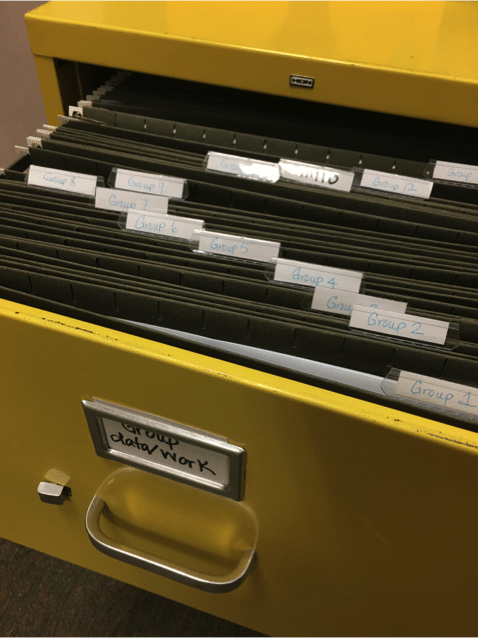
2. File Folders

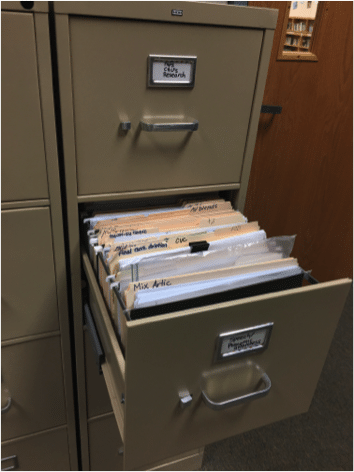
I started the year using file folders (one for each student). It was nice because I could grab all the folders for one day and put them by my therapy table. It was rewarding to see the pile shrink as the day went on. I also used the folders to store activities and progress monitoring sheets.

Personally, I found that it was easier to keep my data sheets in one place (a binder). It wasn’t streamlined enough for me.

3. Electronic

Yay! We touched on this already!


Want to start taking Digital Data? Join our free Digital Data Bootcamp today and get started!

Filed Under: Caseload Management Tagged With: Data, Paperwork, Progress Monitoring

How to Create QR Codes

February 19, 2016 by Marisha 3 Comments

My students LOVE QR codes. I mentioned how I use them in my blog post about my Google Forms, and I am excited to show you how to create your own. There are two options…

Option 1

This is probably the simplest option. You can use this awesome website (www.qrstuff.com/). All you have to do is enter the website URL and download the QR code.

Option 2

This option has a few more steps, but it will save you time if you are planning on making QR codes for a group of students.
1. Open a spreadsheet in your Google Drive.
2. Copy and paste your URLs into the first column.
3. Type in your students’ initials (or name) in the second column.
4. Click “Add Ons” and search for “QR Code Generator.” Click through the steps to download the Add On to your Google Drive.
5. Click “Add Ons” –> “QR Code Generator” –> “Start.”
6. I checked the boxes to make PNG files and to use a second column (so that I know who each QR code belongs to!).
7. Click “Generate.”
8. Once the images are generated, you will be able to click on “Open Folder,” and you will see all of your beautiful QR codes!

Do you use QR codes in your speech room? If not, then you're missing out on lots of good ways to integrate technology and boost student engagement! I'm sharing a step-by-step tutorial on how to create QR codes in this post so that you can start making - and using - them today!

Now what?

Once you have the QR codes, you can download a QR scanner on your phone or tablet. I just typed in “QR code” in the App Store (for Apple) or Play Store (for Android) and downloaded a free app. When you scan the code, it opens a URL. Easy as that!

You can also use QR codes for a variety of fun classroom/therapy activities and for caseload/classroom management. The possibilities are endless! I’ll be sure to share some more ideas along the way. 🙂

Do you ever use QR codes with your students? What are some of your favorite activities?

Filed Under: Therapy Ideas Tagged With: Apps, Student Engagement

Keep Your SLP Student Data Organized with Google Forms

February 15, 2016 by Marisha 27 Comments

Every speech-language pathologist (SLP) I’ve talked to feels like they’re drowning in paperwork, trying to keep their student records organized (while also respecting student privacy).

When I started my first job as a school-based speech-language pathologist, I was so excited to dive into therapy with my very own caseload, but I was totally unprepared for the amount of paperwork! I tried lots of systems and tools (iPhone apps, spreadsheets, individual data sheets, daily data sheets), but none of them felt like they fit quite right for my tracking needs.

I’m thrilled to share that I FINALLY cobbled together a system that works to keep all my student records organized and private. What’s the crux of my system? Google Forms!

Update: I was loving many features of Google Drive for data (especially the graphs!), but it ended up being A LOT of work to maintain. I did love taking data digitally! Here’s a peek at what I do now!

Here is a quick overview tutorial of how I set up my data sheets. I’ve also included a written description with screenshots below.

I store each student’s form in a folder, based on which day(s) I see them. The “Multi” folder is for students that I see multiple days a week. You could also sort by teacher or grade or just keep all students in one folder!

Are you looking to take your therapy data tracking more digital? I provide a tutorial on how to start using Google Forms in your speech therapy room, as well as my pros and cons to this system. This system is a great way to reduce paper waste and go green in your room!

I keep track of when I saw the student and the type of session. (I use “Other” to document a missed session due to student absence, a school activity, meetings, etc.)

Are you looking to take your therapy data tracking more digital? I provide a tutorial on how to start using Google Forms in your speech therapy room, as well as my pros and cons to this system. This system is a great way to reduce paper waste and go green in your room!

I also enter any data taken during the session. If I didn’t target a specific goal, then I just leave it blank. I also like having space to enter any notes and make note of anything specific I want to do next week.

Are you looking to take your therapy data tracking more digital? I provide a tutorial on how to start using Google Forms in your speech therapy room, as well as my pros and cons to this system. This system is a great way to reduce paper waste and go green in your room!

The data then gets stored in a Google Sheet. (When you click on the data tab when you are looking at your form, you have the option to create a spreadsheet.)

Are you looking to take your therapy data tracking more digital? I provide a tutorial on how to start using Google Forms in your speech therapy room, as well as my pros and cons to this system. This system is a great way to reduce paper waste and go green in your room!

And you can set it up to make beautiful graphs! (Parents, students, teachers, and administrators love this part.) This example includes percentages, but I especially love using rating scales to monitor progress. Schoolhouse Talk has an amazing product to help get you started. Check it out here.

Are you looking to take your therapy data tracking more digital? I provide a tutorial on how to start using Google Forms in your speech therapy room, as well as my pros and cons to this system. This system is a great way to reduce paper waste and go green in your room!

Advantages of Using Google Forms for Tracking Speech Therapy Data

1. My notes are more detailed and take less time, because I can type much faster than I write. (I also have a few more productivity hacks to make narrative data even easier, but those are for another blog post.)

2. Everything is stored in one place. No more lugging around data binders!

3. It is easy to involve my students in the data taking process. They can easily enter their progress in the form. I made QR codes so that we can scan the code and pull up their form, which they love!

4. It is easy to review student progress. I set up the Google Sheets to create graphs using the data. These visuals are great to share with parents and students. I’m hoping they’ll make progress reports a breeze.

5. The Google Forms could be great for collaboration. I haven’t done this yet, but I could share the form with a teacher or a therapist.

6. You can easily customize each student’s form. Makes for easy and efficient progress monitoring.

7. It helps reduce clutter in my speech room. I still have a lot of papers in my room, but this really cuts down on the amount of papers I have floating around throughout the day.

Disadvantages of Using Google Forms for Tracking Speech Therapy Data

1. Glitches. There haven’t been many, but they do come up from time to time. They could all be fixed by re-opening the browser.

2. There is some initial setup time. It took me a few hours to set up all the forms, enter students’ goals, set up the graphs, etc.

3. Some people are worried about confidentiality. I use my school Google account and set up the best possible security settings. I only use initials in the forms and never include any identifiable information.

4. Internet connectivity. If the internet is down, then you’re out of luck!

I would love to hear what you think! Do you take data electronically? What is your favorite “system?”


Not sure which data system is best for you? Check out this blog post (including a free quiz!) to help you narrow down the options!

Filed Under: Caseload Management Tagged With: Data, Google, Progress Monitoring

9 Reasons Why SLPs Should Use a Bullet Journal

January 12, 2016 by Marisha 3 Comments

Yesterday, I shared about my brand new bullet journal on Periscope. I love it! I seem to forget 50% of what I want to scope when I am scoping, so I am bringing you some more details here. (If you want to watch a replay of the scope, scroll down!)

NOTE: The links below are Amazon Affiliate links for your convenience, but I may receive compensation if you click through and purchase one of the products. *

I heard about this bullet journal in a scope by Ashely Schroeder (@schroedersshenan), and I absolutely fell in love with the idea. I created my own journal using a Moleskine notebook and my favorite Staedtler pens (affiliate links below).

Why do I love this journal so much?

1. Well, it could be because the journal is new, but I was on fire yesterday! I got so much done, even though I was with students for the majority of the day. (Mondays are my crazy day.) I knew what tasks I needed to prioritize, and I was able to use every precious minute to get things done. I used a variety of systems before starting this journal (e.g., Google Docs, notepads, fancy planners, etc.), but I love that I have a place to put things that I need to do NOW, as well as a place to put things I might want to do later.

2. I love that I have room to include “me stuff” (goals, inspirational quotes, book lists, thoughts/ideas, etc.). These things make this journal much more than just a to-do list. I also hope that having these things written out will help me remember my goals and help keep me accountable throughout the year.

3. Along those lines, I love that this journal combines my goals/plans/ideas with what I am actually doing on a day-to-day basis. I think it’ll help keep me focused on the important things.

4. I was able to add in little calendar templates from Moleskine.com. Check them out here. This makes it really easy for me to keep track of IEP/evaluation due dates and other big, important things (like days off of school?!).

5. There is so much space. If I need to, I can use a whole page for one day’s to-do list.

6. I also enjoyed customizing the journal by creating my own “stickers” using mailing labels.

7. I’ve had Moleskine notebooks in the past, and they are pretty durable. This guy is jam packed with content but fits easily in my bag.

8. My Moleskine also has a built in bookmark . This makes it super easy for me to open up to my “most used” page.

9. It’s not that expensive! I got my journal on Amazon for $12. I saw a similar one at Target for $20. I bet you could find a $1 notebook and make this happen, too.

Some possible cons?

1. It does take a little bit of time to set up. I took some time to set up the journal, draw in my own “titles,” etc.

2. It also sounds like a lot of people number their pages, so that they can find everything easily. This would take even more time. I decided to create my own “tabs” using stickers, which was a lot easier for me.

3. I couldn’t make this work to organize my whole life. I use Todoist on my laptop/phone to keep track of chores. I have recurring reminders set up (e.g., wash sheets every week, change water filters every two months). It is way more efficient for me to have Todoist remember these kinds of things; plus, I don’t have to keep writing down the same tasks.

If you’re looking for more ideas on how to set up your own bullet journal, check out bulletjournal.com and Pinterest for more ideas. I would love to hear how you set up your bullet journal and/or if you have a system that you just love.

  
* Marisha Mets is a participant in the Amazon Services LLC Associates Program, an affiliate advertising program designed to provide a means for sites to earn advertising fees by advertising and linking to Amazon properties including, but not limited to, amazon.com, endless.com, myhabit.com, smallparts.com, or amazonwireless.com.

Filed Under: Speech Room Organization Tagged With: Productivity, To Do Lists

Brain Model Talk

January 8, 2016 by Marisha Leave a Comment

In case you’re curious, here is a little background on why I chose this topic… In grad school, I referred to Mark Ylvisaker’s books all the time. His research focus was brain injury, but he has amazing resources for a variety of skills. I also enjoy reading about growth mindset, Mind Up, Whole Brain Teaching, and more. It has really shaped what I do with my students, and we are having a blast!

NOTE: The links below are Amazon Affiliate links for your convenience, but I may receive compensation if you click through and purchase one of the products. *

But I’m an SLP; why do all that “extra” stuff? Of course, it is important for SLPs to have a strong core knowledge of how to treat speech/language disorders, but there is so much more that we can do for our students. Our students are at risk for having low self-esteem and for “falling through the cracks.” I believe that there are quick, easy strategies that we can use to help support our students. These strategies may help them meet their speech/language goals more quickly, but it can also help them grow as lifelong learners. Yeah yeah, kind of gushy, but I believe it! So how do I use this with my students?

I give my students “a talk” in a variety of situations. For example, I might use this when…
– They are starting to learn a new skill. (“It’s too hard!”)
– They are plateauing.
– They aren’t engaged in therapy.
– They’re feeling discouraged. (“I hate my ah’s [r’s].”)

I will often pull out my handy dandy brain model (link below) and talk to my students about why we do what we do in speech (or in class). It only takes a few minutes, but I’ve really seen it help turn students around.

There are so many ways to help a variety of students (even ones with receptive language difficulties) understand this concept. Visuals, visuals, visuals! I love the brain model, but drawing “smooth” and “rough” roads on paper can be helpful. We sometimes cut out sticky notes and put them on the brain. Play-Doh is also a great tool for students to create their own models. We can also make obstacle courses (mini or life-size) to show students how much easier it is to get through a “smooth” road. We talk about ways to “clear the rood.”

What are your favorite brain-based strategies to use with your students?

 
* Marisha Mets is a participant in the Amazon Services LLC Associates Program, an affiliate advertising program designed to provide a means for sites to earn advertising fees by advertising and linking to Amazon properties including, but not limited to, amazon.com, endless.com, myhabit.com, smallparts.com, or amazonwireless.com.

Filed Under: Therapy Ideas Tagged With: Brain-Based Strategies, Student Engagement

Ultimate SLP Time Saver: NO PRINT Book Companions

January 1, 2016 by Marisha 8 Comments

I am so excited about my NO PRINT book companions! I don’t know about you, but–as I’m preparing to go back to school–I’m not excited about prepping a lot of materials (although I generally do enjoy some laminating and cutting).

Here are five reasons why I’ve been enjoying this…

1.  Absolutely No Prep

You can download the no print book companion to your device (phone, tablet, or computer) within seconds, and you instantly have a bundle of therapy activities at your fingertips.

2. Common-Core Aligned

You can use the book companion to target a variety of language, vocabulary, and grammar goals (all Common Core-aligned).

3. The Activities Are Leveled

Each target areas is broken down into at least two levels. For example, the WH questions are split into three groups (who/what, when/where, and why). For each group of questions, I included slides with visual supports (WH questions symbols) and slides without visual supports. For students who need more of a challenge, I also included a mix of all WH questions.

4. You Can Use This Book Companion While Reading

The activities are presented in sequential order, so you can practice WH questions, sequencing, vocabulary, and grammar skills in context!

5. Students Love It!

My students really enjoy getting to use the iPad while reading a book. (“It’s like we get to play a game?!”)

If you want to take a closer look, then check out this YouTube video!

Note: This book companion is based on the book The Mitten by Jan Brett. The book should be purchased separately. I am not affiliated with the author of this book.

If you decide to purchase the bundle, then here is a tutorial on how to open the .zip file directly on your iPad. You can also unzip the files on your computer and e-mail them to yourself and/or store them on Google Drive, Dropbox, etc.

If that doesn’t work, then open the PDF in the Google Drive app, tap on the three dots on the top right corner, then tap on “Send a Copy.” Tap on the “Open In” icon on the bottom row, and then tap on “Copy to iBooks” option in the list of available apps.

Check out all of my book companions in my store HERE.

Filed Under: Therapy Ideas Tagged With: Books, Literacy-Based Therapy, Products

7 Tools to Organize Speech Therapy Materials

October 21, 2015 by Marisha 23 Comments

Confession: I have A LOT of speech therapy materials. I also “inherited” a very full speech room. I’ve spent a lot of time trying to organize all my “stuff,” and I’m excited to share some of my favorite tools with you!

NOTE: The links below are Amazon Affiliate links for your convenience, but I may receive compensation if you click through and purchase one of the products. *

Wall Storage

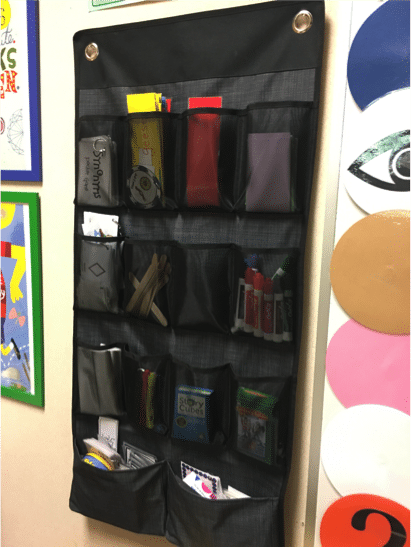
My most frequently used therapy rewards and visuals get pinned on the wall.

Every SLP has a ton of resources - especially resources from TPT! Therefore, we all need great ways to organize our speech room. I've shared seven of my favorite tools that help me organize all of my TPT resources that I use in my speech instruction! Check them out inside this post.

Storage for TPT Cards

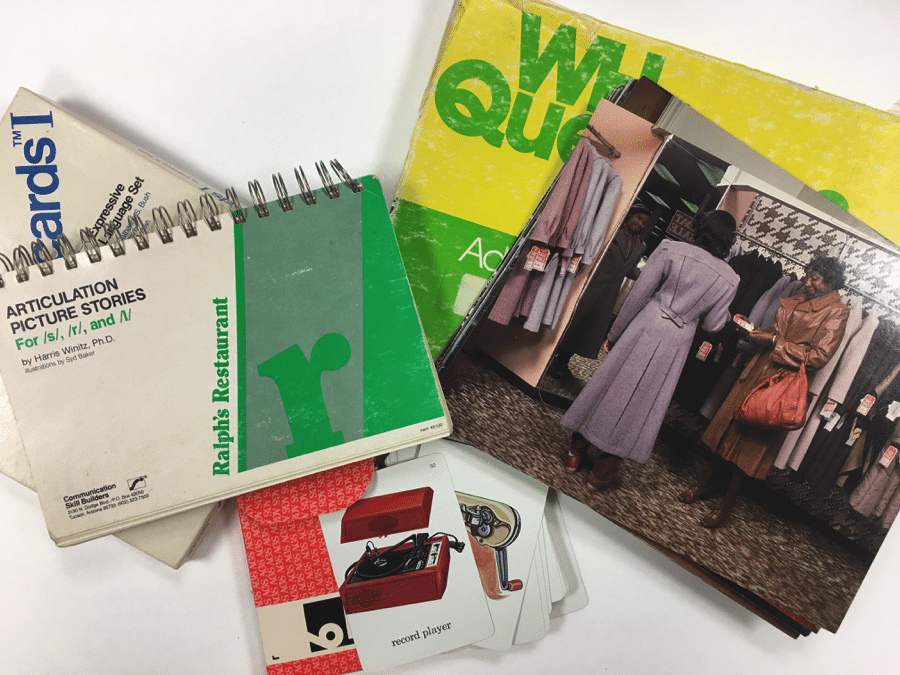
I bought this fun box from Michaels, and I use it to keep miscellaneous TPT products. Don’t forget to look for Michaels’ awesome coupons. I got mine when it was 60% off!

Every SLP has a ton of resources - especially resources from TPT! Therefore, we all need great ways to organize our speech room. I've shared seven of my favorite tools that help me organize all of my TPT resources that I use in my speech instruction! Check them out inside this post.

I also found this index card organizer at Staples, and I use it to store TPT products, as well.

Every SLP has a ton of resources - especially resources from TPT! Therefore, we all need great ways to organize our speech room. I've shared seven of my favorite tools that help me organize all of my TPT resources that I use in my speech instruction! Check them out inside this post.

I found these little guys at Joann’s. It doesn’t look like they are listed on their website, but they were only a few dollars. Perfect size for Cariboo cards!

Every SLP has a ton of resources - especially resources from TPT! Therefore, we all need great ways to organize our speech room. I've shared seven of my favorite tools that help me organize all of my TPT resources that I use in my speech instruction! Check them out inside this post.

I also store some cards in envelopes. I put these envelopes in a photo box. A shoe box would be perfect, too!

Every SLP has a ton of resources - especially resources from TPT! Therefore, we all need great ways to organize our speech room. I've shared seven of my favorite tools that help me organize all of my TPT resources that I use in my speech instruction! Check them out inside this post.

Last but definitely not least… This drawer organizer. *swoon* This is my favorite way to organize my TPT cards. It’s so pretty and makes prepping for therapy a breeze.

Every SLP has a ton of resources - especially resources from TPT! Therefore, we all need great ways to organize our speech room. I've shared seven of my favorite tools that help me organize all of my TPT resources that I use in my speech instruction! Check them out inside this post.

Storage for TPT Packets

I also use these plastic document files and poly envelopes to store bigger materials.

 Every SLP has a ton of resources - especially resources from TPT! Therefore, we all need great ways to organize our speech room. I've shared seven of my favorite tools that help me organize all of my TPT resources that I use in my speech instruction! Check them out inside this post.
Every SLP has a ton of resources - especially resources from TPT! Therefore, we all need great ways to organize our speech room. I've shared seven of my favorite tools that help me organize all of my TPT resources that I use in my speech instruction! Check them out inside this post.

Check out this video for a closer look at some of these organizational tools.

* Marisha Mets is a participant in the Amazon Services LLC Associates Program, an affiliate advertising program designed to provide a means for sites to earn advertising fees by advertising and linking to Amazon properties including, but not limited to, amazon.com, endless.com, myhabit.com, smallparts.com, or amazonwireless.com.


Filed Under: Speech Room Organization Tagged With: Organizing Therapy Materials, Tools

How to Increase Student Goal Awareness: Goal Buntings

October 18, 2015 by Marisha Leave a Comment

One of my goals for this year is to increase my students’ goal awareness in speech. I have a couple things that I am trying, and today I’ll be sharing about my goal bunting. More strategies coming soon!

In order to make their goals more “personal,” my students spent some time at the beginning of the school year decorating their buntings.

It was a great way to hear why students thought they come to speech. It was also heart-warming to hear students talk about their long-term goals and to hear them make connections. We got to discuss how working on certain skills in speech might help them reach their goals.

I then used mini paper clips (yay Target Dollar Spot) to hang the buntings on my wall. How’s that for functional decoration?!

As an added bonus, when they meet a goal, they get to decorate their piece with stickers. I’m hoping that I have a bunting full of stars by the end of the year. 🙂

I’m also testing a variety of tools to increase students’ engagement in monitoring their progress. I’m excited to share that with you in the future!

Click here to grab your own goal bunting template!

What strategies do you use to increase students’ awareness of their goals?

Filed Under: Therapy Ideas Tagged With: Progress Monitoring, Student Engagement

  • « Go to Previous Page
  • Page 1
  • Interim pages omitted …
  • Page 36
  • Page 37
  • Page 38
  • Page 39
  • Go to Next Page »

Platform

  • For SLPs
  • For Districts
  • Pricing
  • Contact

Resources

  • Success Stories
  • SLP Now Blog
  • Podcasts
  • Speech Therapy Tools
  • Reviews

Policies

    • Cookie Policy
    • Privacy Policy
    • Terms of Service
    • Trust Center


social links

youtube

Youtube

instagram

Instagram

facebook

Facebook

© 2026 | All Rights Reserved | SLP Now®